- Words
- 8,226
- Reading time
- 37 min
- Last crawled
- 2026-09-26
- Cited by
- 6 of their pages
- Language
- EN
September 24, 2026
[
New controls for Linear coding agent
](https://linear.app/changelog/2026-09-24-new-controls-for-linear-coding-agent)
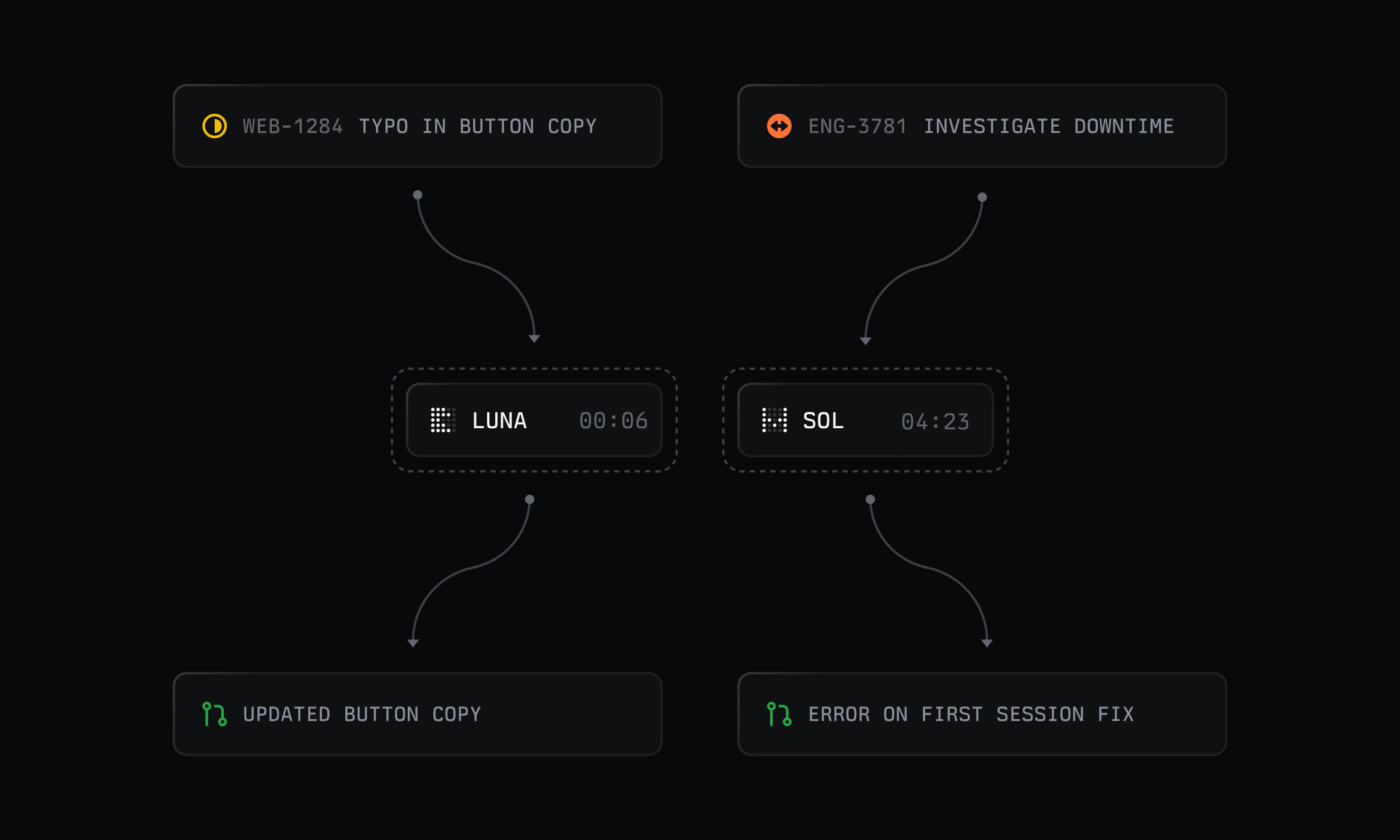
Coding sessions are the shortest path from issue to diff. Assign a task to Linear Agent, and it works in a secure cloud environment to write and test the code before opening a pull request for review.
We’re adding more control over how each session runs, from its environment to the models behind it.
Adaptive routing
Save time and tokens by automatically routing simpler tasks to a faster model while using the default reasoning model for more complex work. If a task needs more capability than expected, you can restart the session on the default model while keeping the original pull request for reference.
Environment secrets
Coding sessions can now access environment secrets during setup to securely fetch private dependencies and other environment config.
Open-weight models
Coding sessions now support open-weight models, starting with GLM-powered sessions. Workspace admins and owners can choose which models are available from Coding sessions settings.
Visit the docs for more details.
Team organization at scale
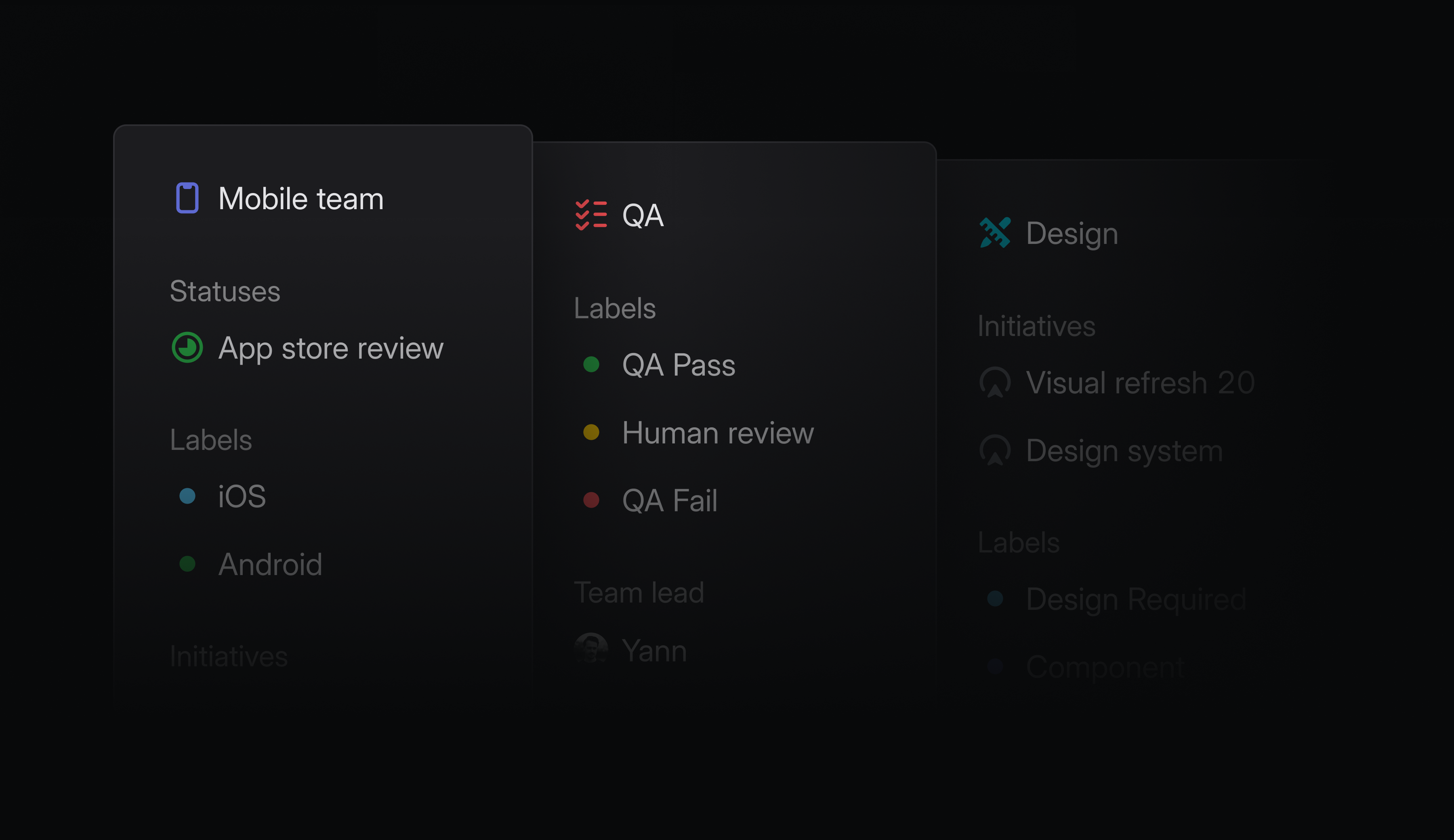
As companies grow, it can become challenging to accommodate every team’s workflow within a single workspace-wide system. A Product team may track discovery and development, while Marketing organizes work around campaign stages. Both need workflows that reflect how they operate, without fragmenting the company-wide view.
We’re giving teams more freedom to own and organize project work, without losing sight of the bigger picture.
Team project labels and statuses
Teams can now define their own project labels and statuses to reflect how they work, and extend those workflows across their sub-teams for consistency. Team project labels and statuses are available on Business and Enterprise plans.
Project lead teams
You can now define a lead team for a project to clarify ownership when multiple teams contribute. Filter by lead team to create focused views of the projects each team owns.
Team loops triggers
Loops can now run when a team is created, someone joins or leaves a team, or an issue is assigned to a team. This makes it possible to automate recurring coordination, such as sending onboarding information to new teammates or reassigning open issues when someone leaves.
Project and initiative IDs
Projects and initiatives now have durable, human-legible IDs. Reference work reliably in agent workflows and external tools, even when names change.
-
Android
Fixed app crashes when a WebView renderer crashes or is stopped to free memory
-
Asks
Fixed Asks sometimes duplicating Slack message content in descriptions
-
Diffs
Fixed incorrect badge images in synced GitHub review content
-
Diffs
Fixed stray markup appearing in synced GitHub content containing HTML entities
-
Diffs
Fixed Codex review requests from GitHub appearing as threaded replies
-
Diffs
Fixed auto-merge attempting to enter the merge queue before required checks complete when repository settings are stale
-
Documents
Fixed unresolved document comments appearing resolved when created without a text selection
-
Editor
Increased maximum zoom limit for lightbox images. Zooming past native dimensions now shows sharp pixel boundaries
-
Editor
Fixed recent description edits sometimes being omitted when copying prompts, opening coding tools, sending AI messages, or importing meetings
-
Editor
Fixed keyboard access and button semantics for editor node action menus
-
Editor
Fixed holding Shift to preserve the aspect ratio when resizing an image crop
-
Editor
Added support for Cmd/Ctrlscroll to zoom Mermaid diagrams
-
Imports
Fixed workspace migrations failing when custom views reference initiatives outside the selected teams
-
Insights
Fixed bar chart snapshots failing when state metadata is missing
-
IOS
Fixed “No project,” “No milestone,” and “No agent” missing from matching picker search results
-
Loops
Fixed the search clear button not responding in the desktop app
-
Loops
Fixed Slack user group mentions rendering as literal text in Loop messages
-
Notifications
Fixed priority-only Slack notifications ignoring custom sender filters
-
Projects
Fixed project descriptions being labeled as initiative descriptions for assistive technology
-
Pulse
Fixed Pulse disappearing and reappearing in the sidebar when opening the application
-
Settings
Fixed settings search ranking so pages appear above nested settings with equal matches
-
Settings
Fixed the allowed MCP connectors list to sort alphabetically by connector title
-
Slack
Fixed Slack and Asks submissions restoring deselected template labels
-
Teams
Fixed guest member menus failing to open when the viewer could manage regular members but lacked permission to remove guests
-
Agent
Linear Agent can now contact support on your behalf
-
Asks
Added the applied template name to issue creation activity
-
Diffs
Added bot detection for GitHub usernames ending in
-botorBot -
Diffs
Added syntax highlighting for
.cshtmland.razorfiles -
Diffs
Simplified Codex review comments
-
Diffs
Grouped closed diffs behind a count toggle in the issue sidebar
-
Diffs
Added Android Vector XML previews and comparisons
-
Diffs
Simplified the activity wording when auto-merge is manually disabled
-
Diffs
Added a saved option to switch between implementation and total line counts by clicking the review header stats
-
Diffs
Added an option to show reviewer avatars in the Created list
-
Documents
Improved document printing to PDF with better page breaks, wide-table continuations, comments as linked endnotes, and consistent formatting for media and embeds
-
Editor
Added an Insert screenshot option to the desktop slash menu on macOS
-
Editor
Added support for pasting tab-separated data (TSV) as editable tables
-
Editor
Added ShiftTab support to move nested collapsible blocks to the same level as their parent
-
Editor
Added support for @-mentioning shared views pinned to team, project, and initiative pages in Linear agent chats and loops
-
Filters
Added Option/Altclick to replace the current filter selection
-
Imports
Added an option to create users outside selected teams as suspended during Linear workspace imports
-
Integrations
Added the
updatesmagic word to create Contributes links from commits and pull requests -
Loops
Added support for running team and workspace loops on multiple selected issues from the command menu
-
Loops
Added Slack user group lookup so Loops can mention groups named in instructions or lookup tables
-
OAuth
Added audit log entries for explicit OAuth token revocations
-
Search
Improved document search using parent and folder names
-
Views
Changed the default nested sub-issue setting to show only issues matching the current filters
-
Views
Improved icon search with multi-word queries and category matching
-
Mentioning a third-party agent in a comment now sends a follow-up to its most recent available session on that issue (working or completed)
-
Added
FeatureandLineartags to Datadog feature flags created through Linear -
Required pipeline administration rights to change release pipeline team associations
September 14, 2026
[
Loops for product management
](https://linear.app/changelog/2026-09-14-loops-for-product-management)
Elapsed00:00
Remaining time unknown
Loops are recurring agent workflows for teams. They now respond to more workspace activity, including changes to initiatives, projects, and cycles. They can also edit Linear documents and post updates to Slack.
Teams change project plans all the time. It’s not the change itself that’s hard, but the follow-through: updating docs, creating issues, and keeping everyone informed. That’s where information falls out of sync and handoffs get missed. Loops can now handle that coordination for you.
For example, when a project’s target date changes, a loop can automatically update the launch plan and post a Slack message explaining what changed, why, and who needs to act.
Trigger from across your workspace
New triggers include:
- Project and initiative changes to status, ownership, target dates, milestones, membership, and labels, plus new updates and comments
- Cycles being created, started, or completed
- Issue changes to status, priority, assignee, cycle, project, or labels
Edit documents
In addition to creating issues and updating projects and initiatives, Loops can now edit documents. When scope or timing changes, a loop can update the relevant Linear document so plans stay aligned.
A loop can now also draft and post tailored Slack updates using context from Linear and connected tools. Keep the right people informed about what changed and what happens next.
Continue any run
Each loop run starts a conversation with Linear Agent. Once it finishes, you can continue that conversation like any other agent session to review the work, add context, or direct what happens next.
Loops credits available until end of year
We’ve extended introductory Loops credits through December 31, giving teams more time to test Loops on their own workflows. See the docs for more details.
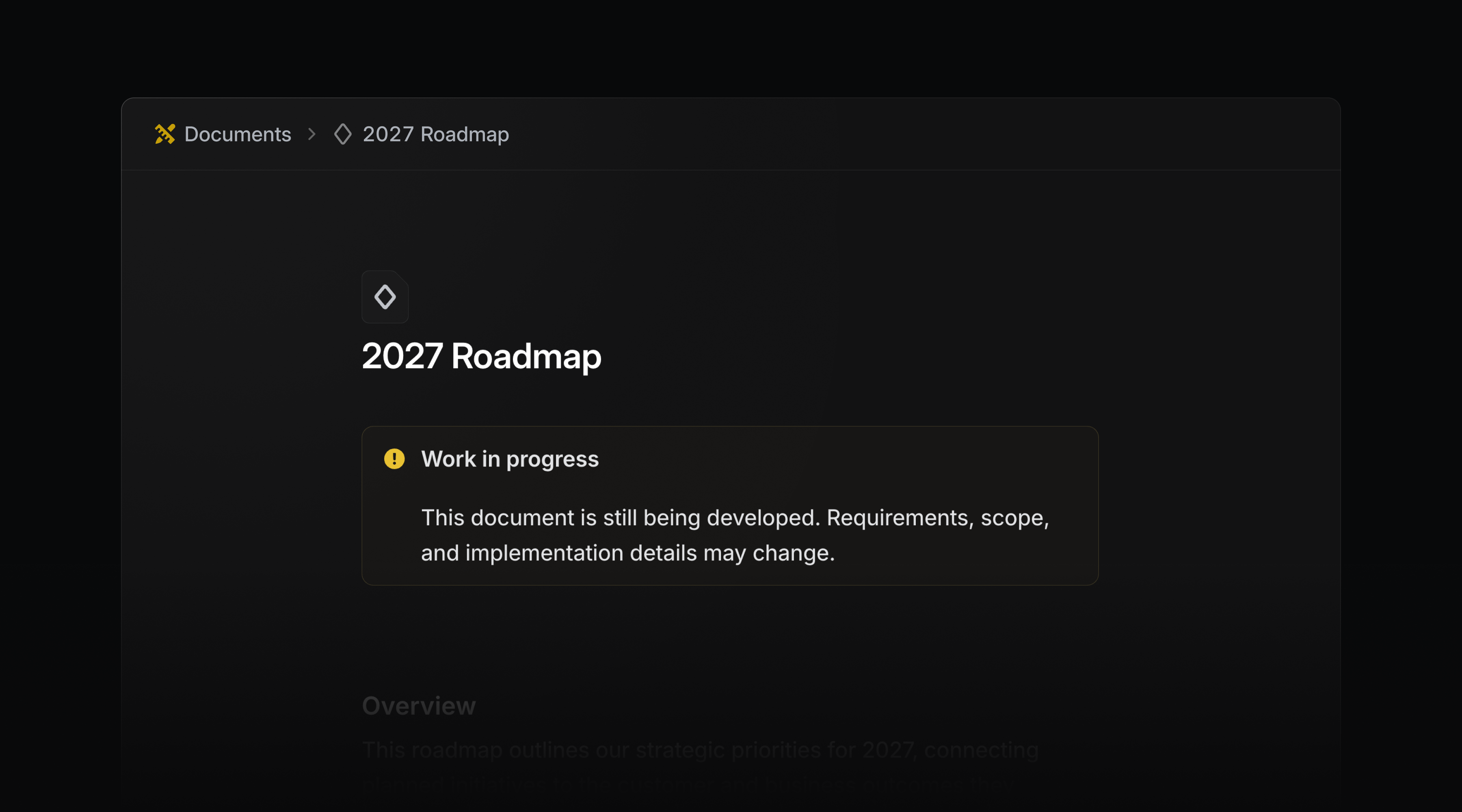
Callout components
Use callout components to draw attention to important information in issue and project descriptions, as well as documents. Choose any color, icon, or emoji to match the context.
In PR descriptions, Linear converts callouts to the closest matching GitHub callout type, so the emphasis carries over.
Type /callout to get started.
-
Diffs
Reduced the number of false positives for issue suggestions
-
Imports
Preserved archive status in GitHub imports
-
IOS
Fixed issue list delegation confirmations showing internal user details instead of the agent’s name
-
Issues
Fixed issue copies omitting nested sub-issues
-
MCP
Updated Datadog MCP connections to use the supported v1 endpoints
-
Settings
Fixed SCIM-managed team members incorrectly showing a Non-SCIM label to members and team owners
-
Slack
Fixed a duplicate linkback when a message contained an issue identifier and a link to the same issue at the end of a sentence
-
Templates
Issues created from a form template now keep the status and labels of the board column they were created under
-
Diffs
Added a “Copy filename” action to the file tree context menu
-
Diffs
Added a hover explanation to the pull request status badge, so a “Blocked” badge states what is blocking the merge
-
Diffs
Added Diff issue suggestion dismissal button
-
Diffs
Added related diffs to the pull request sidebar
-
Editor
Added support for commenting on links and viewing existing threads from the link toolbar
-
Filters
Changed new label filters to default to “include any of” when all selected labels belong to the same group
-
Search
It is now possible to search projects by their synced Jira Epic key
-
Diffs
Fixed collapsed-code controls so ShiftUp expands code above and ShiftDown expands code below
-
Hid the Active MCP connections link when the user cannot access workspace security settings
-
list_teamsandget_teamnow report each team’svisibilityandretiredAt -
Added new outbound IPs for webhooks, which will go live in the next few weeks. Visit the docs for the current list
-
Fixed team updates for Asks email intake addresses
September 3, 2026
[
Priority inbox
](https://linear.app/changelog/2026-09-03-priority-inbox)
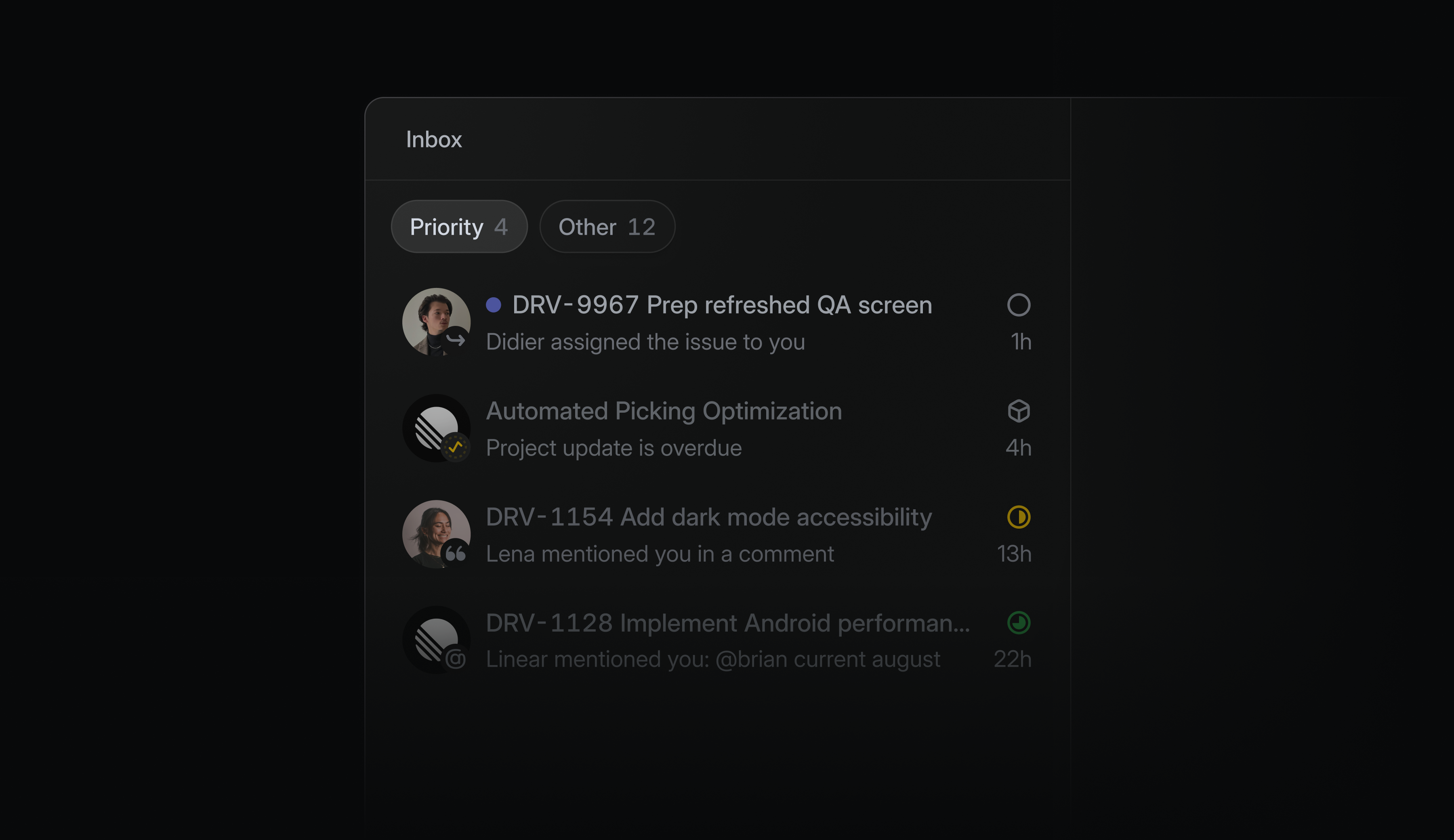
An active workspace can create a significant amount of notifications each day, and until now your inbox treated them all the same. The new Priority tab separates what needs your attention from what can wait, so something like a review blocking a release never gets buried.
Linear selects what appears in Priority by default, with the option to customize it by choosing notification sources or creating a filter. You can also continue using the inbox just as you do today.
To get started, open the inbox display options or read the docs.
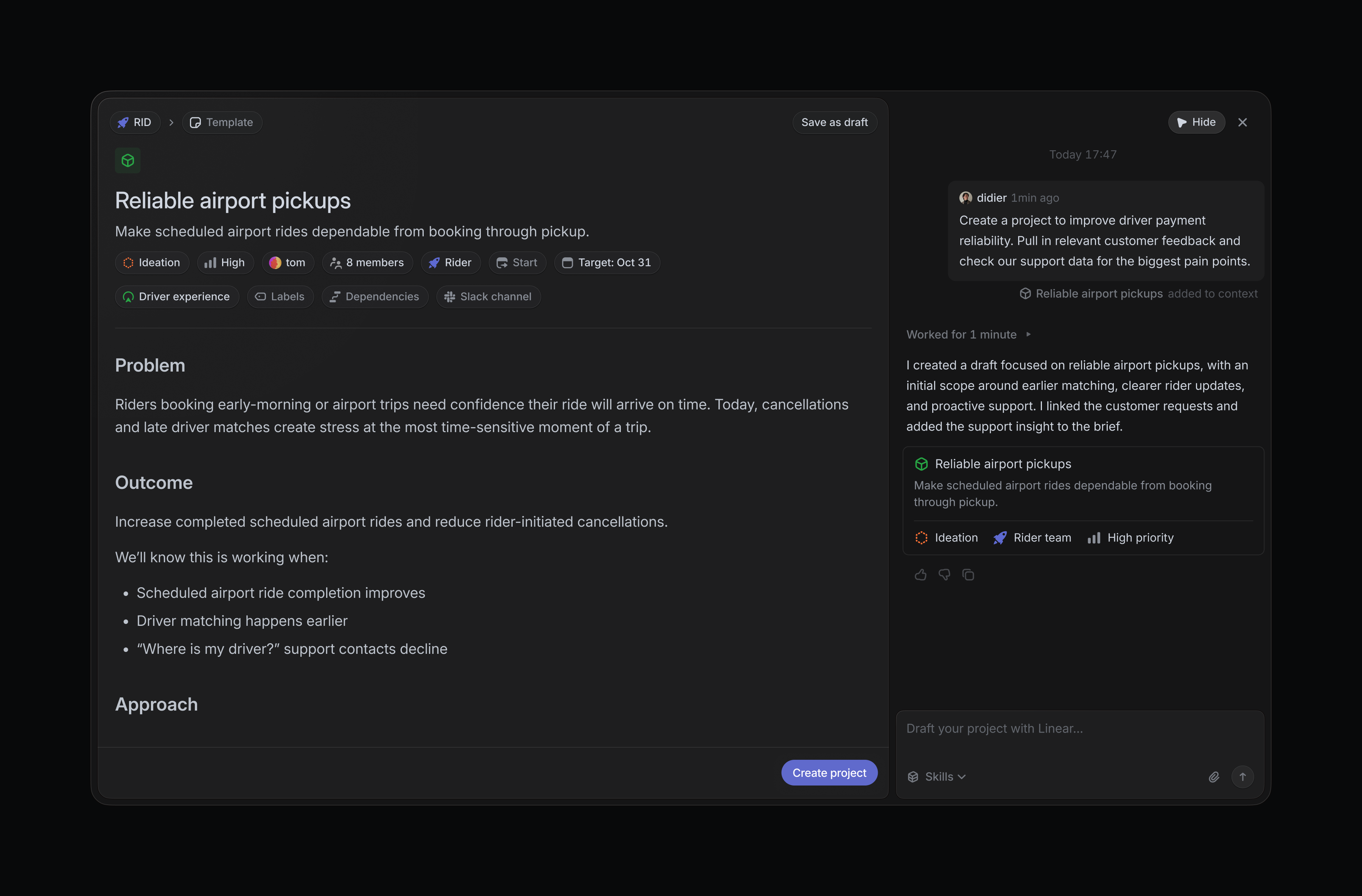
Draft projects with Linear Agent
The new project composer lets you develop ideas with Linear Agent before creating a live project. Inside the composer, Linear can pull in relevant context from your workspace and connected tools to sharpen the brief and build out a plan.
Drafts save automatically as you work, so you can return to the draft without losing progress.
Select Create with Agent in the project creation page to get started.
Document editing on mobile
Document creation and editing are now available in Linear’s iOS and Android apps. Start a doc while the context is fresh, update a plan as it changes, or fix a detail before it sends someone in the wrong direction, without waiting until you’re back at your desk.
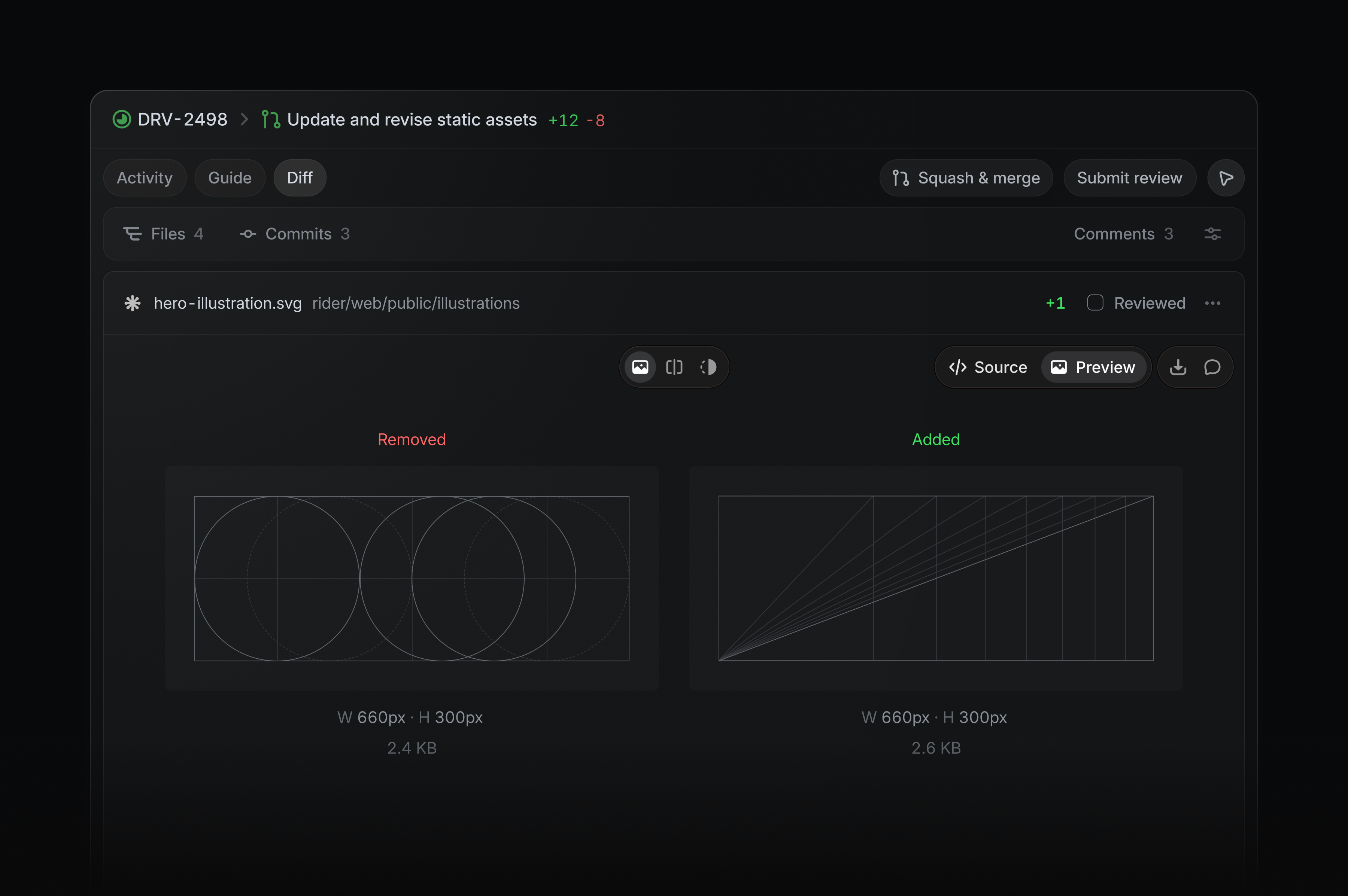
Rich previews in diffs
Images, fonts, Markdown, and PDFs now render directly inside Linear diffs. Reviewers can see the output alongside the code and understand what changed without leaving the pull request.
Symlinks are also now supported, shown as file-based changes.
Third-party app approvals
As more apps and agents connect to your workspace, admins need control over which ones can access company data. Third-party app approvals are now available on paid Linear plans, allowing admins to review and approve apps before they’re installed.
Learn more in the docs.
-
Agents
Fixed triage suggestions now showing the team name instead of the key
-
Agents
Fixed an issue where Linear Agent was sometimes not linking a PR to the issue it was generated from
-
Asks
Fixed large inbound emails blocking workflow processing during quote detection
-
Desktop
Fixed an issue where opening documents in the desktop app navigated to their parent
-
Diffs
Reduced request spikes when opening very large pull requests
-
Diffs
Fixed changed lines sometimes missing from pull requests
-
Diffs
Fixed incremental PR Guide updates sometimes dropping unchanged sections
-
IOS
@-mentions now respect the full name display preference in comments and issue descriptions
-
Linear Agent
Fixed agent panel “use as context” button’s tooltip incorrectly formatting entity names like pull request
-
Notifications
Fixed bulk notification actions to show both read-state options when the selection contains read and unread notifications
-
Projects
Fixed the scroll position indicator jumping back to an earlier section while scrolling down a project overview
-
Slack
Fixed issue creation failing after updating fields in the Slack issue form
-
Slack
Fixed synced Slack replies being deleted when an issue is archived
-
Teams
Fixed team settings rejecting an unchanged team identifier that became reserved after it was initially claimed by the team
-
Triage
Fixed cases where future shifts did not appear in triage responsibility when using an external schedule
-
Accessibility
Improved accessibility of view display controls
-
Asks
Allowed reordering templates on Asks Web pages
-
Command Menu
Improved command menu to now use fuzzy search
-
Desktop
Added native creation commands, including documents, and made Cmd/CtrlN choose what to create from the current view
-
Diffs
Added compact activity updates for running and completed Codex reviews
-
Favorites
You can now add a loop to
Favorites -
Favorites
You can now right-click a favorites folder to copy the URLs of all items
-
Favorites
You can now drag items to add them to favorites
-
Filters
Added a “No labels” filter option
-
Filters
Added “My teams” filter value that matches the teams the current user belongs to
-
Labels
Removed the ability for labels to contain emojis
-
Linear Agent
Files dropped anywhere over an Agent chat now attach to the message composer
-
Loops
Notified loop owners when one of their loops is deleted or disabled by someone else
-
Loops
Added support for running scheduled Loops every hour or at custom hourly intervals
-
Settings
Added an option to start SLA timing when an issue is created instead of when it is escalated
-
Settings
Added CSV exports to workspace teams, team members, API keys, and usage history tables
-
Settings
Added support for adding multiple workspace members to one or more teams at once
-
Settings
Added support for selecting workspace members and changing roles, suspending, or activating them in bulk
-
Slack
Accents in Slack always use the color defined for the associated issue status
-
Teams
Added bulk member selection, team owner promotion, demotion, and removal to team member settings
-
Workspaces
Standardized search, filter, and display controls across workspace-level Teams, Members, Loops, and Releases views
-
Fixed ShiftCmd/CtrlO opening sub-issue creation instead of the pull request preview
-
Added O then G to open linked pull requests and synced GitHub issues from issue views
-
Added the
startModefield andSLAStartModeenum to SLA configuration responses -
Added outbound IP addresses published at https://linear.app/.well-known/appspecific/app.linear.ips.json
August 20, 2026
[
Coding sessions: environments, browser use, and updated pricing
](https://linear.app/changelog/2026-08-20-coding-environments)
Elapsed00:00
Remaining time unknown
Linear Agent can now set up, run, and test your code before returning its work. That means fewer handoffs and changes that are further along when they come back to you.
We’re also introducing lower, more transparent pricing, making AI credit usage easier to understand and control.
Configurable environments
Coding sessions now automatically adapt to each codebase’s configuration, with broader out-of-the-box support for Python, Ruby, Go, and more.
During a session, Linear detects and installs the toolchains and dependencies it needs to complete the task. Teams can go further by pinning runtime versions, adding setup scripts, and defining environment variables.
To get started, create an environment in settings. Visit the docs for more details.
Browser testing
Once the application is running, Linear Agent tests its work where users experience it: in the browser.
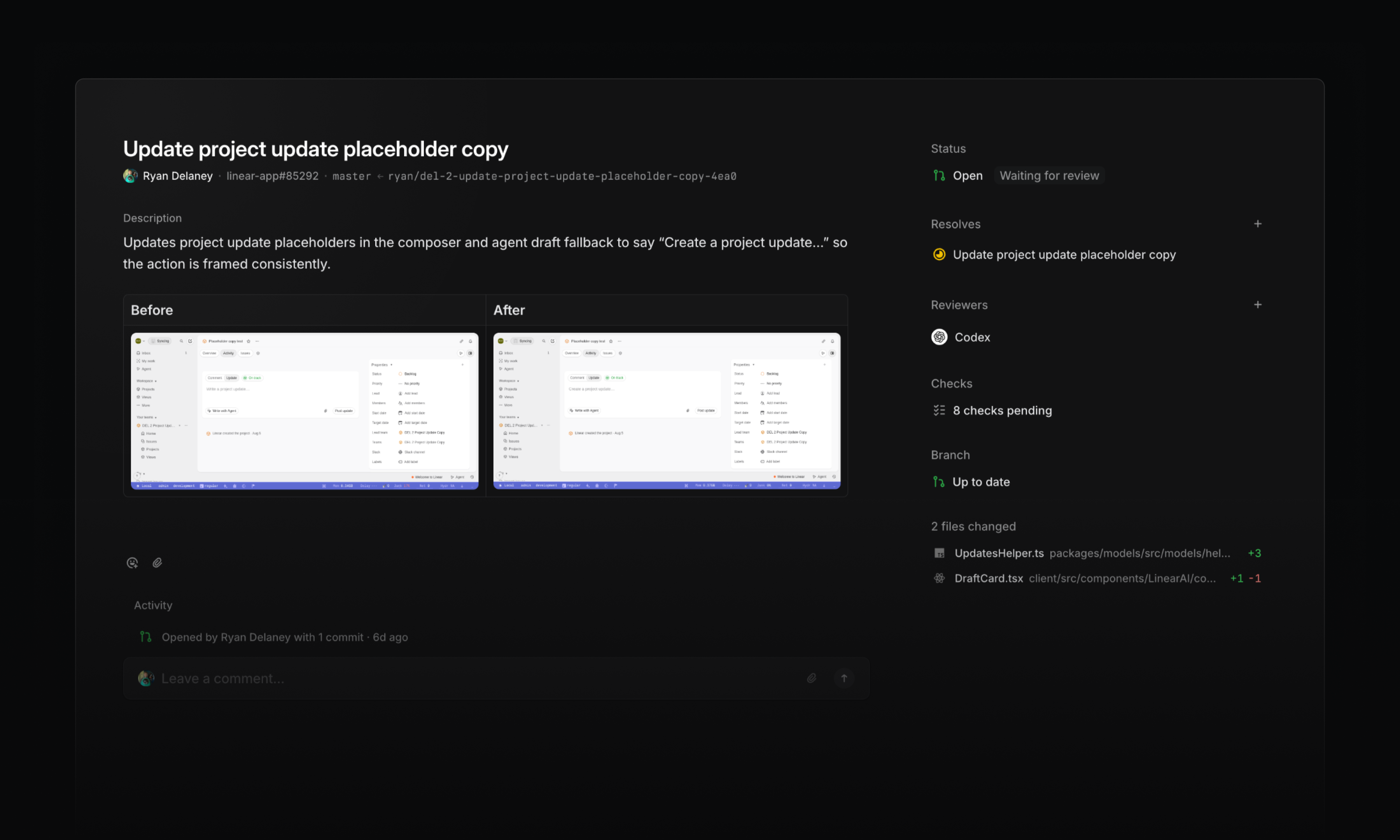
The agent opens the app, navigates through a flow, and verifies its implementation. It also captures before-and-after screenshots, making visual changes easier to review alongside the code.
Browser testing can catch broken interactions and visual regressions that code review alone might miss. If the agent finds a problem, it can make a fix, rerun the test, and return the work with that validation complete.
Transparent pricing
As coding sessions take on more work, costs need to be easy to understand and easy to control.
Starting today, coding sessions use a lower-cost pricing model with two components:
- Model usage: Tokens are charged at the provider’s published rates, with no markup
- Sandbox runtime: Charged at $0.25 per 20-minute block
Together, model usage and runtime determine the AI credit cost of a session. The usage dashboard shows the breakdown, along with token usage and cost by model.
Admins can also set workspace-wide and per-user spend limits that reset daily, weekly, or monthly. When a limit is reached, additional AI credit usage is paused until the limit resets or an admin increases it.
Learn more about AI credits in the docs.
-
Agents
Fixed an issue where Linear couldn’t find or assign a future cycle when referenced by its number (e.g. “Cycle 13”) in Slack and comments
-
Android
Fixed read AI conversations appearing bold in the conversation picker
-
Desktop
Fixed search and create issue buttons in the sidebar not responding to clicks at narrow window sizes
-
Diffs
Fixed merge queue duration tooltips appearing stuck
-
Diffs
Fixed guide sections with a lot of files in them not being scrollable
-
Diffs
Fixed Linear guest users with a connected GitHub account being able to edit Diff title and description if they have write access to that PR on GitHub
-
Diffs
Removed hover underlines from GitHub code embed header links, kept their link cursors when focused, and added external-link indicators to file names
-
Diffs
Fixed repeated review cache errors when IndexedDB is unavailable
-
Asks
Added a per-channel Asks setting that posts a message mentioning the new assignee in the synced Slack thread when an Ask is assigned
-
Authentication
Improved pending SAML domain verification from 24 hours to seven days
-
Diffs
Improved meaningful change count on PR tooltips as well
-
IOS
Improved error messages for unsupported media formats
-
Issues
Added the full issue copy menu to the issue header URL button
-
Team Home
Initiative documents pinned to a team’s overview now also appear in the team’s documents tab
-
Views
Added ability to subscribe to events in project views and receive notifications in Inbox or Slack
-
Issues
Open a GitHub-synced issue in GitHub with OG
-
Issues
Fixed Cmd/CtrlUp/Down scrolling to the top or bottom of an issue after editing its title or description
August 13, 2026
[
Team initiatives
](https://linear.app/changelog/2026-08-13-team-initiatives)
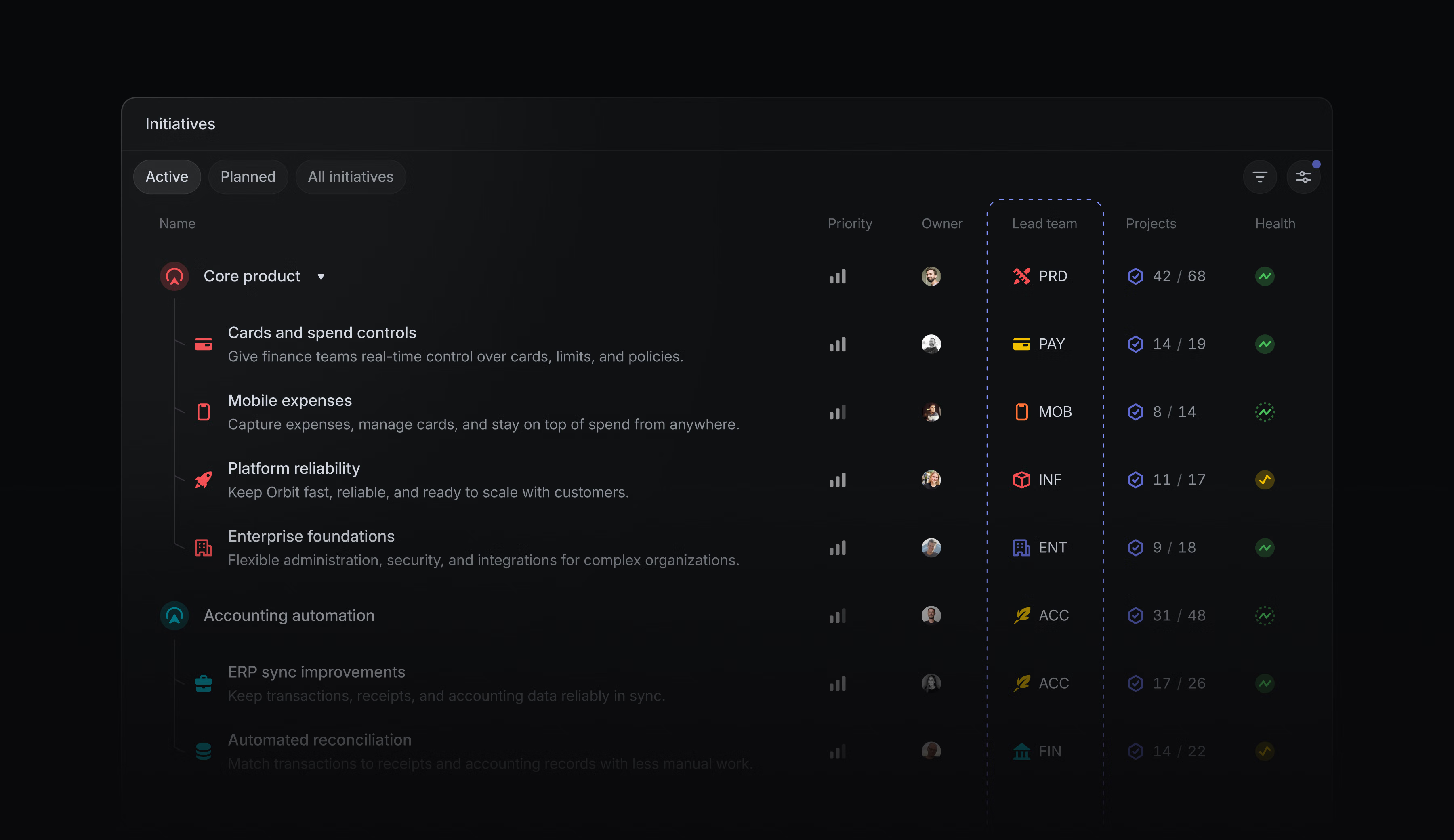
Initiatives are Linear’s way to manage product strategy and high-level planning across projects. Strategy may start at the company level, but teams carry it forward. You can now assign a team to lead an initiative, making it clear who is responsible for driving the work and how it contributes to the broader direction.
For work that requires tighter access, initiatives led by private teams are only visible to team members. This creates a secure place for confidential planning, regulated projects, audits, and other restricted work.
Learn more about initiatives in the docs.
Linear’s MCP now supports managing employee access through your existing Okta-managed identity.
When employees connect from a supported Anthropic agent, Linear verifies their identity through Okta and applies their existing Linear permissions. Admins can manage access centrally, without requiring employees to sign in or authorize Linear individually.
Available to Enterprise workspaces with Okta SAML configured. Learn more in the docs.
-
Agent
Fixed agent sometimes not showing a progress indicator
-
Agent
Fixed Linear Agent sometimes claiming a Slack thread synced when it did not
-
Comments
Prevented document comment threads from shifting away from their referenced text when content changes size
-
Cycles
Fixed new cycle names with quarter or half-year labels not incrementing correctly
-
Cycles
Fixed fast issue creation while viewing completed cycles
-
Diffs
Fixed code review discussions crashing when a file path is missing
-
Diffs
Fixed comment links not opening the associated thread
-
Diffs
Fixed authored pull requests appearing in “To review” after commenting
-
Diffs
Fixed closing an already-closed GitHub pull request failing to remove it from review lists
-
Diffs
Fixed stale PR Guides not refreshing after a pull request update
-
Editor
Added support for comments on Mermaid diagrams
-
GitHub
Fixed closing an abandoned draft pull request changing the status of an issue already marked Done or Canceled
-
GitLab
Fixed merge requests from deleted users failing to process
-
Integrations
Fixed disconnecting a personal Notion account opening Notion instead of removing the connection
-
Integrations
Renaming an OAuth application now updates the name shown in the activity of issues it creates
-
Issues
Fixed imported recurring issues missing their recurring-series link in issue history
-
Issues
Fixed drag-and-drop for sub-issues in views sorted by status, title, or due date
-
Issues
Fixed “Copy as” prompt copying a parent issue instead of the selected sub-issue
-
Notifications
Fixed duplicate notifications for GitHub review requests
-
Notifications
Fixed members being unable to disable Slack alerts for shared custom views
-
Projects
Fixed blocking and blocked-by relationships appearing in the wrong direction in project activity
-
Projects
Fixed project and initiative update reminders being sent when an update was already posted on the previous business day
-
Search
Improved exact user name matches in search results
-
Triage
Added GitHub usernames to GitHub-sourced issues in triage
-
Agent
Linear Agent can now update releases
-
Billing
Added the ability to remove a previously set tax ID
-
Coding sessions
Added GPT-5.6 Luna as a model option
-
Cycles
Added an explanation of cycle success to the tooltip
-
Diffs
Added a branch-status widget showing whether a branch is up to date, behind, or has conflicts
-
Diffs
Grouped agent and bot review comments under Agents & Bots
-
Diffs
Made structural diff highlighting the default
-
Diffs
Showed merge-queue time on pull request hover
-
Editor
Added support for mentioning pull requests from the editor mention picker
-
Editor
Pressing Enter at the end of an issue or document title now starts a new line at the top of the content below it
-
Git
Updated
relates toandrelated tomagic words to mark pull requests as related rather than contributing -
Importer
Added an option to skip workspace-level labels and templates during Linear-to-Linear imports
-
Integrations
Improved the channel connection labels across Slack and Microsoft Teams menus
-
IOS
We now indicate progress while importing photo library attachments for comments
-
Loops
Made the Disabled badge interactive so loops can be re-enabled directly
-
Projects
Added project milestone agent widgets on iOS
-
Added
subscribersfield onDocument -
Added a subscription for user settings updates
-
Teams
Fixed CtrlShift1–9 shortcuts for opening team home pages
July 30, 2026
[
Coding sessions on mobile
](https://linear.app/changelog/2026-07-30-coding-sessions-on-mobile)
Elapsed00:00
Remaining time unknown
Your coding session doesn’t have to stop when you leave your desk. Use the Linear mobile app to review code changes, comment on specific lines, and iterate with Linear Agent.
Open any diff and switch to the Changes tab to inspect the code. When you spot something to change, tap the relevant line to add it to your message to steer the coding session in the direction you want.
We’ve also added section under My Issues → Assigned for your delegated issues. It shows the status of each coding session, and gives you a quick way back into active work.
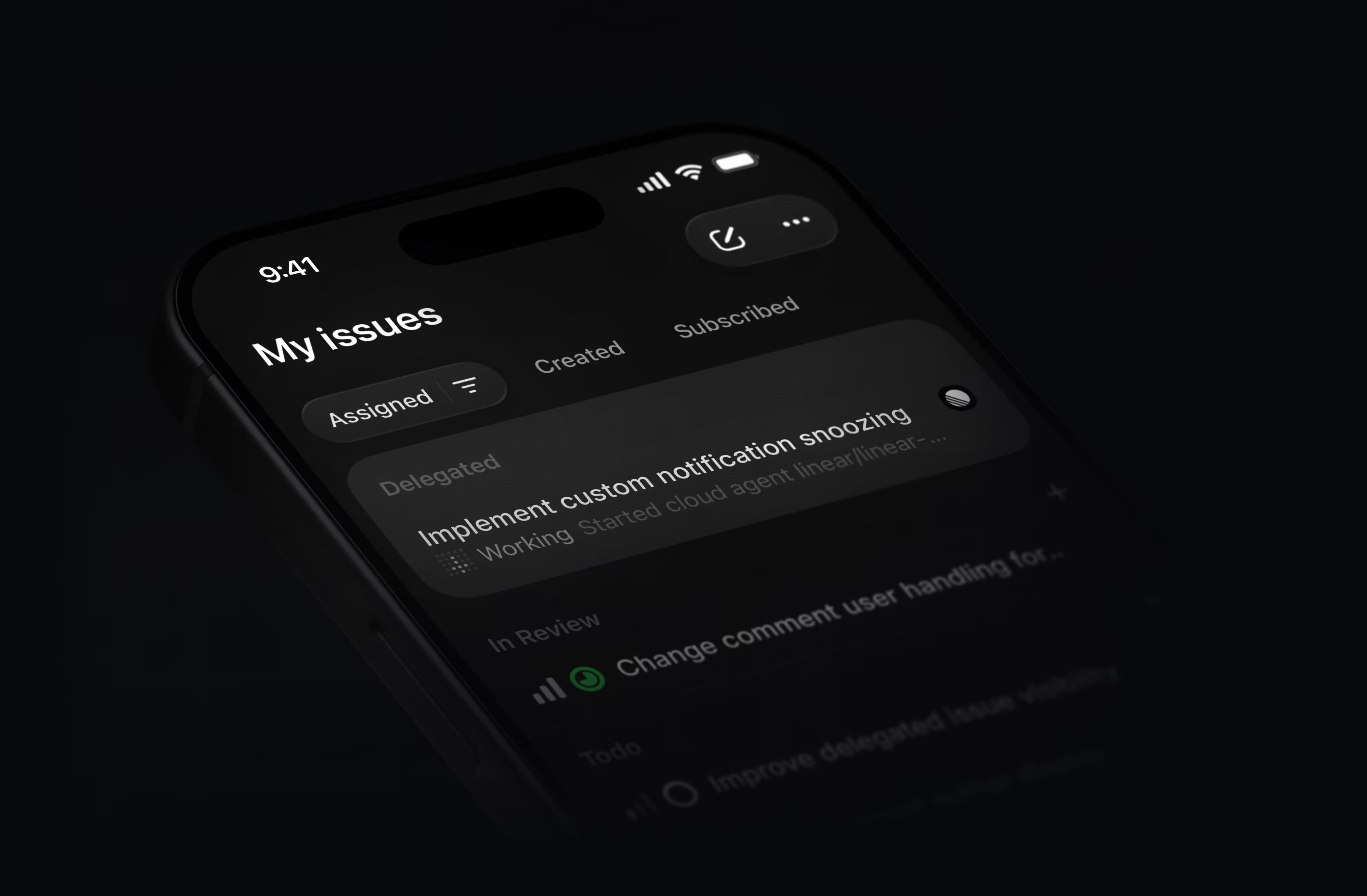
Download the Linear mobile app for iOS and Android.
Guided Reviews are now generally available
Guided Reviews break diffs into focused sections with explainers on what changed and why. As part of general availability, they are now generated for larger pull requests, with a bigger context window and better latency.
Guided Reviews are available on Business and Enterprise plans at no additional cost.
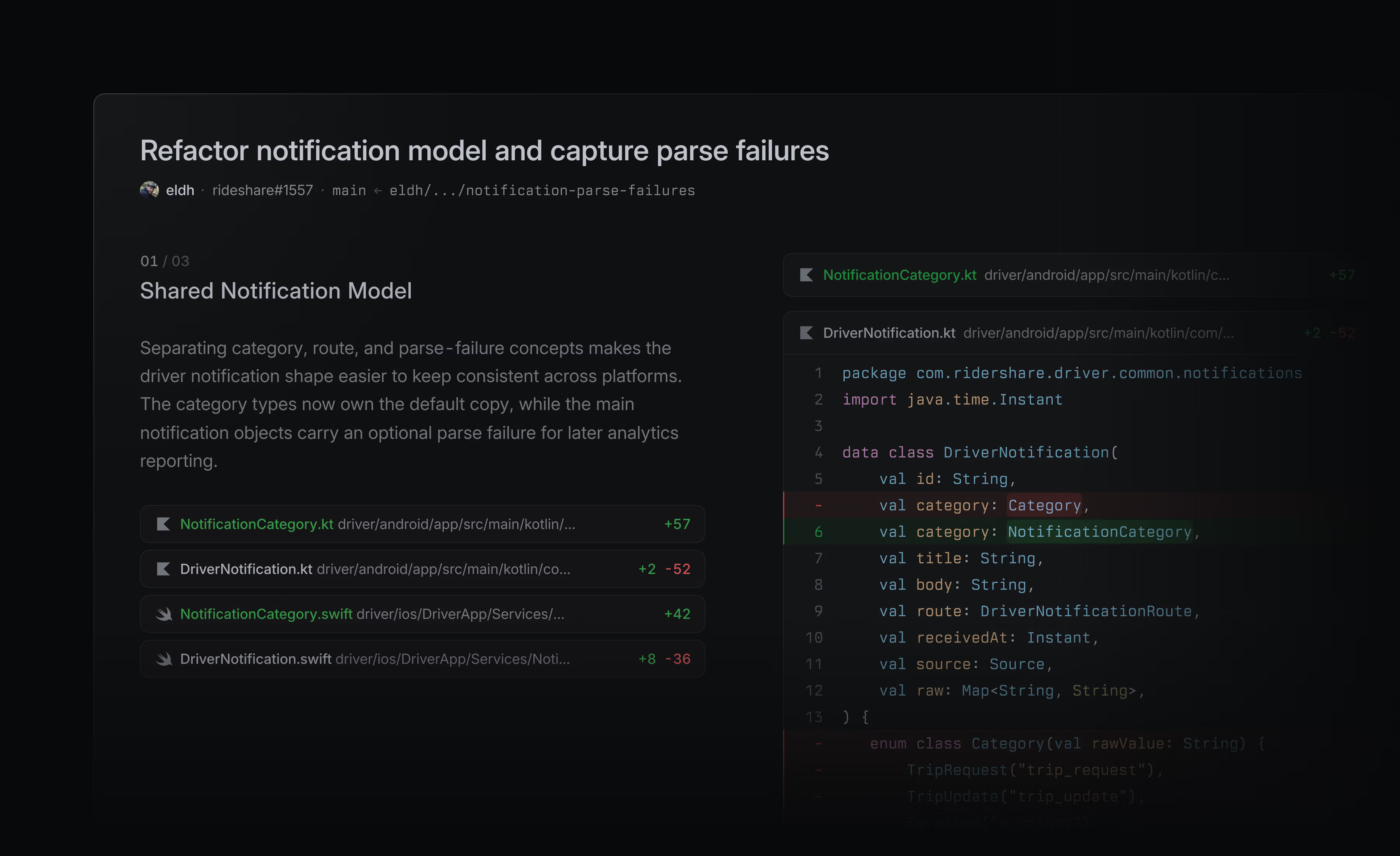
Support for GitHub teams in reviews
You can now assign reviews to GitHub teams. Review requests assigned to your GitHub teams appear in a dedicated section of the Reviews inbox. Learn more in the docs.
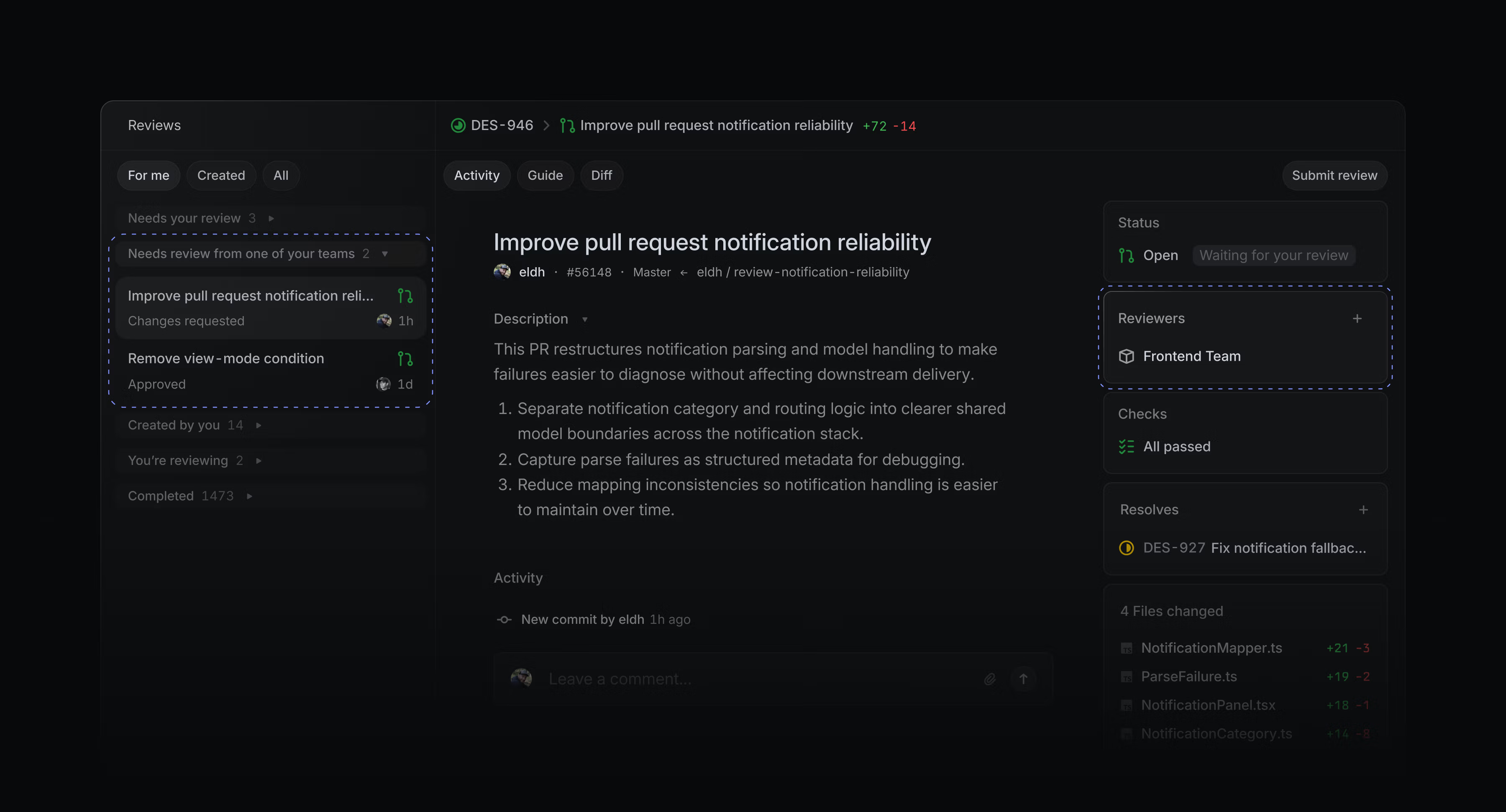
Signed commits for coding sessions
Coding sessions now support signed commits. Add your SSH or GPG key in Settings to enable signing.
Workspace admins can also require users to upload a signing key before using coding sessions.
GitHub Copilot for Linear
GitHub Copilot users can assign issues directly to Copilot’s cloud agent from Linear. Copilot uses the issue context to work in its own development environment, open draft pull requests, and update the issue as it makes progress.
Choose model and agent settings, set the base and working branches, then steer ongoing work through comments in Linear. To get started, install GitHub Copilot for Linear, or read the GitHub announcement for more details.
-
Agents
Queued agent messages now display readable text in previews instead of raw markup
-
API
Fixed issue SLA sort to order by the displayed SLA bucket (Breached / High / Medium / Low / Achieved / Failed) instead of raw
slaBreachesAt, so mobile lists no longer show repeated SLA sections -
Comments
Inline images no longer appear too large in iOS comments
-
Diffs
Pull request reviews no longer unexpectedly open an inline comment draft when the revision changes
-
Diffs
Dismissed issue suggestions no longer reappear on pull requests
-
GitHub
Pull request events now update issue statuses when a Git automation branch pattern contains unsupported regex syntax
-
Inbox
Fixed new project and initiative update notifications appearing as separate inbox entries for the same parent
-
Integrations
GitHub Enterprise Server setup no longer gets stuck on “Verifying installation” after the Linear app is created
-
Integrations
Prevented Slack Asks from responding to unmentioned thread messages after creating an Ask
-
IOS
File, image, and video attachments in document comments now open when tapped, and attachment cards have better contrast in the comments drawer
-
Issues
Issue boards now show an error instead of an empty state when too many issues match
-
Reviews
Structural diffs no longer mark entire reformatted statements as changed when only part of the statement changed
-
Reviews
Resolving a review thread that no longer exists in GitHub now shows a clear message instead of a generic error
-
Search
Searching for a GitHub URL now finds issues that reference the pull request
-
Slack
Fixed Slack review request notifications sometimes showing the wrong person as the requester
-
Slack
Fixed pasting a project milestone link into Slack now previewing that milestone instead of another milestone from the same project
-
Teams
Fixed internal custom view and dashboard links in Team Home displaying generic labels or icons
-
Triage
“Copy as prompt” no longer moves issues out of triage
-
Diffs
Diffs linked as
Relatedno longer change the status of the issue -
Diffs
AI can now generate a Linear issue from a pull request or suggest an existing issue to link
-
Diffs
Inline feedback can now be sent to the Linear Agent, added to a review, or posted to the diff
-
Diffs
New agent sessions can now be started from any pull request using the Agent panel
-
Diffs
TypeScript and JavaScript regular expressions can now be tested directly from the file where they’re introduced
-
Diffs
Pull requests now show the number of meaningful changes, excluding tests and documentation
-
Diffs
Improved Slack notifications for a pull request removed from the merge queue to include the reason it was removed
-
Editor
Updated the keyboard shortcut cheat sheet to show Cmd/CtrlEnter for toggling checklist items
-
Importers
It is now possible to import issues into a sub-team if it doesn’t inherit statuses from its parent team
-
Issues
You can now restore an archived or deleted issue from the iOS app
-
Loops
Improved the “Authenticated email intake” trusted source by renaming it to “Email intake” and explaining when an email is treated as trusted
-
Loops
Added ability for Loops to send user notification
-
Zendesk
Improved the Zendesk integration to allow connection using an agent role instead of an end-user role
-
Added Zapier to the built-in MCP connector directory
-
Editor
Toggle a checklist item with Cmd/CtrlEnter when the cursor is inside it. Hold Shift to also toggle nested items
-
Search
Escape now clears the search input while keeping the current results, then dismisses search when the input is empty
-
Triage
Triage keyboard shortcuts now follow the order of the actions:
1accepts,2declines,3marks as duplicate
July 23, 2026
[
Text attribution and agent-assisted editing
](https://linear.app/changelog/2026-07-23-agent-assisted-editing)
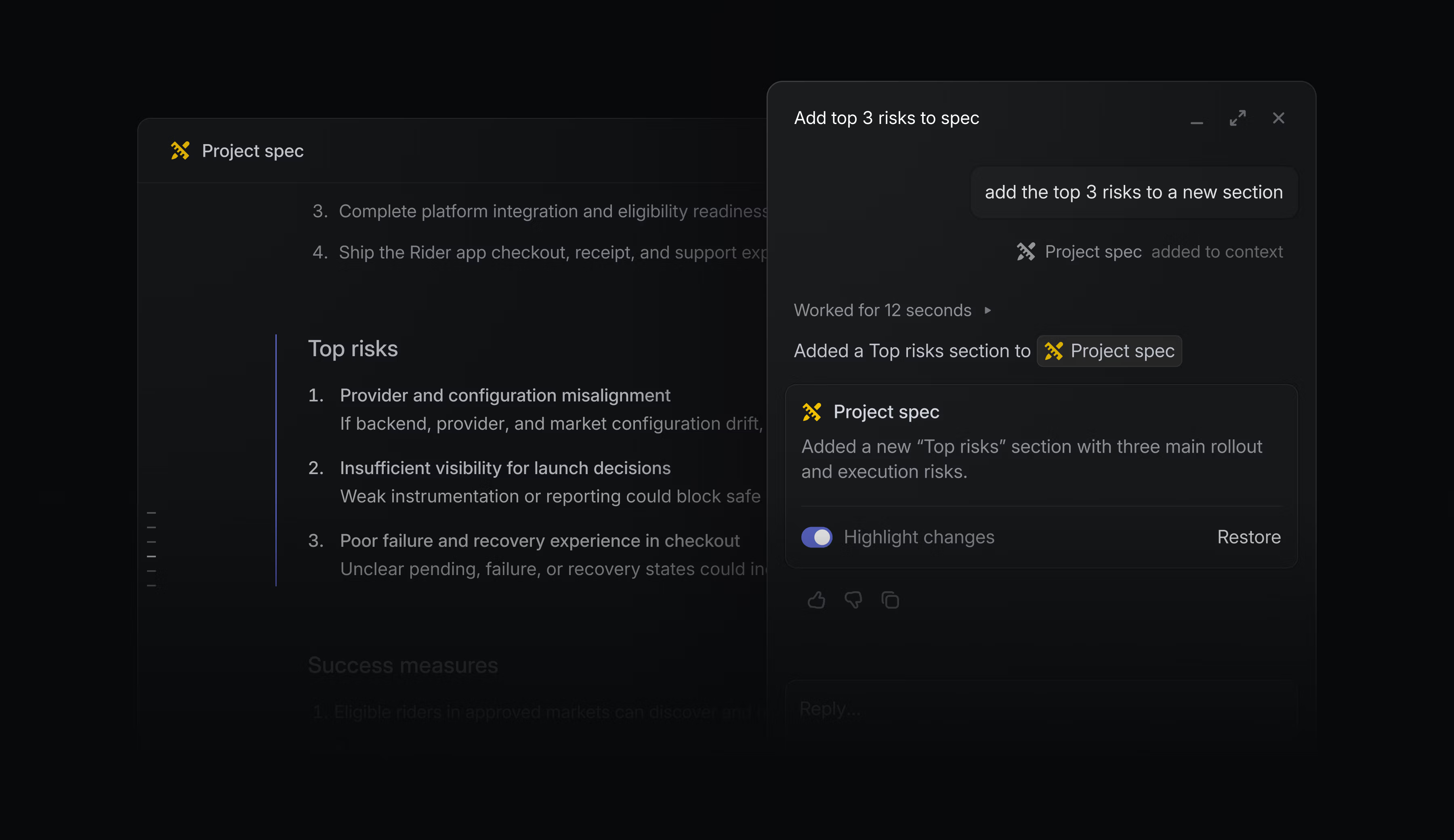
Documents and project descriptions are critical context for your teams and agents.
You can now edit text with Linear Agent, and use Loops to keep docs and project descriptions up-to-date. Author name indicators let you check if text was written by a colleague or added by a loop.
When editing, changes you make through Linear Agent highlight separately so they’re easy to review. If you need to revert to an earlier version, restore to any previous checkpoint from version history.
Show author names or open version history from the ⌘/Ctrl + K menu, or in document display options. Learn more in our documentation.
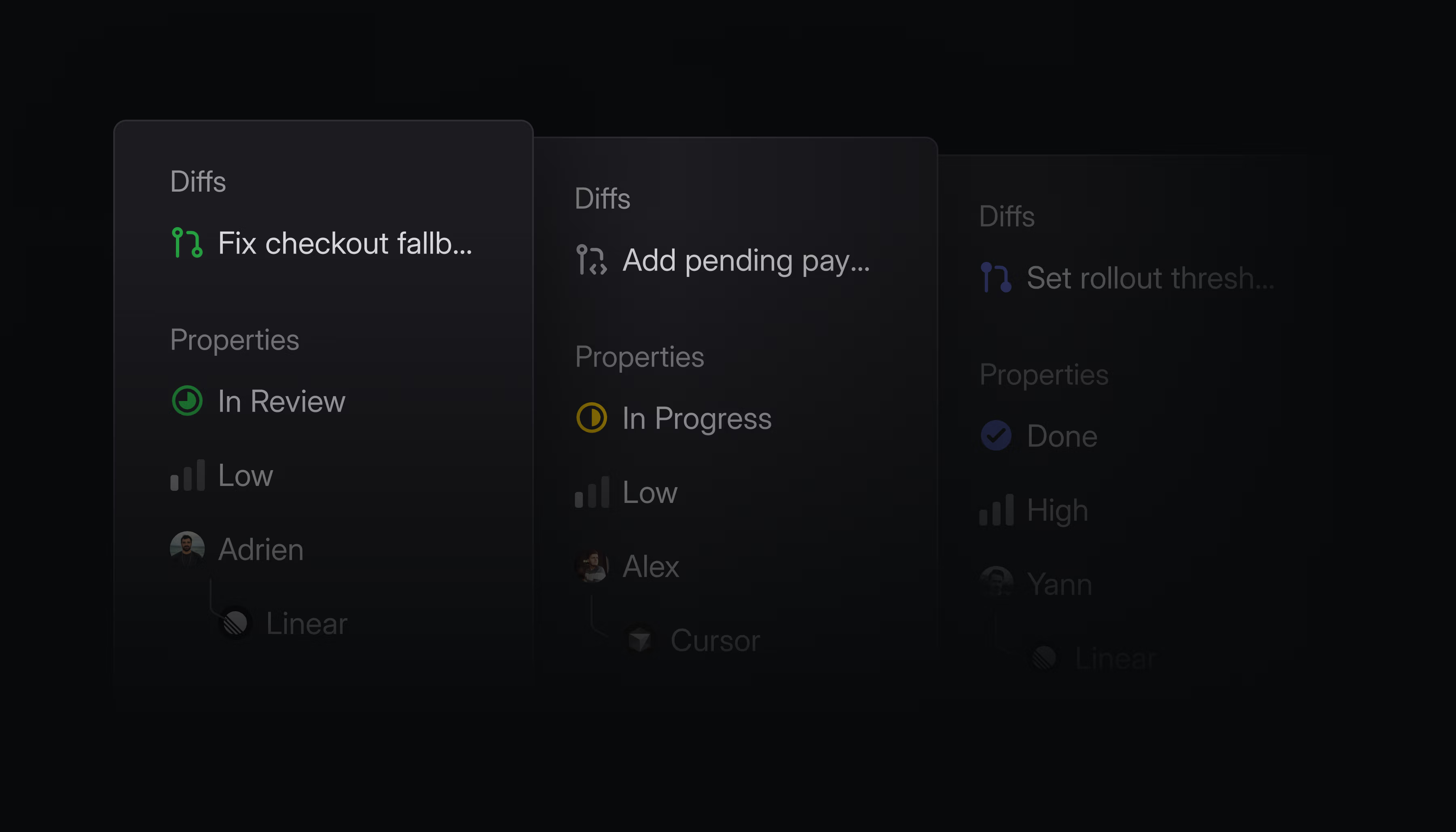
The issue sidebar now closely integrates issue properties with the main content. We’ve pinned Diffs to the top of this panel so you can access the issue’s pull requests from anywhere on the page.
-
Asks
Fixed issues created through Slack Asks ignoring a chosen template’s default status
-
Comments
The resolved comments menu no longer appears when there are no resolved comments
-
Diffs
Submit review flyouts now properly close when clicking outside them
-
GitHub
Prevented revert pull requests from reopening issues linked to another GitHub repository
-
GitHub
Fixed linking GitHub pull requests to issues via pasted URLs.
-
Initiatives
Fixed oversized initiative titles
-
Integrations
Fixed a bug where removing a linked GitHub pull request disconnecting GitHub issue sync
-
Integrations
Fixed Slack project channel setup retrying after a project was deleted or archived
-
Settings
Fixed IP restrictions not appearing when searching for “IP” in settings
-
Slack
Fixed truncated issue summaries in Slack unfurls
-
Views
Fixed view filters (like Cmd/Ctrl F filtering) resetting when navigating to an item in a split view list
-
Editor
Added Backspace navigation from empty issue descriptions and document bodies back to the title
-
Issues
Improved issue composer to suggest templates as a quick suggestion, surfaced before other suggestions because they apply a bundle of issue properties
-
Projects
Added a way to view a project’s issues filtered by a specific milestone from the project overview on iOS
-
Triage
Added triage responsibility to the triage screen on iOS, showing who is responsible for incoming issues and letting you manage the action and responsible members
-
Diffs
“Quick to review” now shows up for slightly larger PRs and also appears for the author of the PR
-
Added
bodyDatato GraphQL pull request comments -
CycleCreateandCycleUpdatenow prevent overlapping schedules and validate neighboring cycles using their dates.
July 20, 2026
[
Introducing Loops
](https://linear.app/changelog/2026-07-20-introducing-loops)
Elapsed00:00
Remaining time unknown
Loops are a new way for Linear Agent to take on recurring work for your team.
Describe the job in plain language and then choose whether it should run on a schedule or in response to an event. From there, Loops use context from your workspace and connected tools to decide on the next best action.
For example:
- Review incoming issues, research root causes, and dispatch to coding agents
- Create and coordinate follow-up work based on unstructured notes, like meeting transcripts or incident reports
- Keep launch plans and project specifications up-to-date
- See more ways to use Loops in the docs
Elapsed00:00
Remaining time unknown
Loops run at the team and workspace level, with shared visibility and control. Anyone with access can review their instructions, see how they are configured, and inspect what happened during each run.
Loops are available today on Business and Enterprise plans and use AI credits. To help you get started and understand usage, we’re giving your workspace $20 per seat in promotional credits. These credits are applied automatically to runs, and expire on August 20, 2026.
Read the blog post to learn more.
-
Android
Added a fallback page for auth redirects so users can reopen the app when browser handoff fails
-
Asks
Fixed Asks created by mentioning the Asks agent in private Slack channels weren’t syncing the originating thread to the issue
-
Cycles
Fixed archived cycles getting stuck behind persisted label and other view filters with no visible way to clear them
-
Diffs
Pull requests with more than 50 commits now loading up to 450 commits
-
Documents
Private team document templates now consistently appearing in the template selector
-
Editor
Fixed checklists pasted from Google Docs rendering incorrectly
-
Email
Prevented notification emails from being sent to deactivated users
-
Inbox
Fixed email intake issues not appearing in the assignee’s inbox when the intake template auto-assigned the issue back to the sender
-
Integrations
Fixed GitHub Enterprise Cloud installation webhooks routing to the wrong workspace region before the installation was known to Linear
-
Integrations
Fixed GitHub Enterprise Cloud setup showing a generic error when an IP allow list blocked Linear, with clearer guidance on allowing Linear IPs
-
Notifications
Fixed duplicate Slack notifications when a newly created issue is added to a view with Slack notifications enabled
-
Projects
Fixed project pages crashing when a graph tooltip referenced a stale date
-
Pulse
Added an unsubscribe action for Pulse items shown through team project update subscriptions
-
Triage Intelligence
Fixed Triage Intelligence no longer requiring destination teams to have workspace-wide scope to be eligible for suggestions
-
Agent
Linear Agent can now manage inbox notifications
-
Asks
Email intake threads can now be resolved and unresolved
-
Asks
Synced comment threads (Slack and Asks) can now be resolved and unresolved, and a new reply reopens a resolved thread
-
Comments
Added inline issue description comments on iOS, including highlights in the description, tap-to-scroll to the thread, and quoted text above description comments
-
Desktop
Added support for Cmd+Z to restore accidentally closed tabs, with timeline-ordered priority and batch restore for bulk close operations
-
Diffs
Added the Diffs inbox as a default home view option
-
Diffs
Improved visibility of auto-merge status in review controls
-
Diffs
Showed failed checks in merge queue removal events
-
Diffs
Showed GitHub force-push events in pull request timelines
-
Interface
Added an Underline links preference under Interface and theme to always underline links in issue descriptions, comments, and documents
-
Teams
Added display options to team member lists for sorting, filtering by member type, and choosing visible columns
-
Improved attachment uploads to accept base64 payloads with whitespace or
data:URL prefixes
July 2, 2026
[
Initiative properties
](https://linear.app/changelog/2026-07-02-initiative-properties)
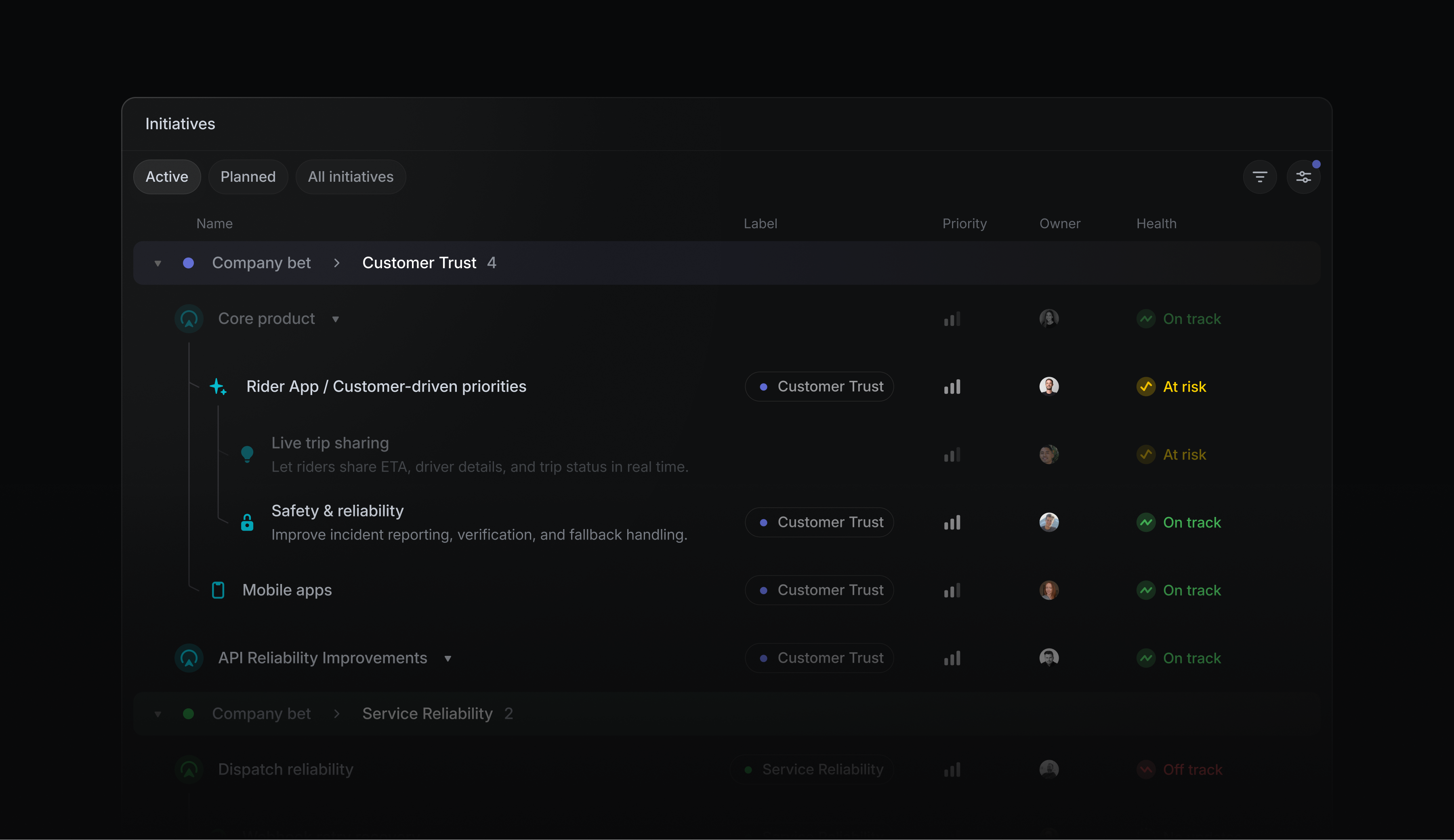
Initiatives define your company’s high-level goals and organize the projects that contribute to them. To help you manage initiatives as your roadmap grows, we’ve added a new set of focused initiative properties:
- Proposed and canceled statuses make it clear when an initiative is under consideration or has been intentionally set aside
- Priority communicates which initiatives are most important
- Labels group initiatives by product line, region, or other meaningful categories
Use these properties to group and filter initiatives on any plan, or build custom initiative views on Enterprise plans. Learn more about initiative properties in the docs.
Centrally manage access to Linear’s MCP server in Claude
Give employees secure access to Linear and other MCP servers in Claude, without requiring them to authenticate with each server individually.
Enterprise-managed Authorization lets Okta administrators manage access and permissions centrally, and users automatically get access to the MCP servers they’re authorized to use when they sign in to Claude.
Enterprise-Managed Authorization is available to Enterprise workspaces using Okta as an identity provider and Claude as an MCP client. Learn more in the docs or in the MCP specification.
You can now share any filtered view by copying its URL from your browser, or by pressing ⌘/Ctrl Shift C on desktop.
Share filtered views to discuss a subset of an existing view with someone else — like an issue view filtered by an assignee, or project or initiative view filtered by a label.
-
Agents
Fixed issues with editing collapsible sections inside documents and descriptions with the Linear agent
-
API
Stopped automatically cancelling and restarting active Triage Intelligence runs after issue content changes
-
API
Fixed fieldless GraphQL input metadata from turning persisted filters into match-all filters
-
Asks
Slack
/askscommands now pre-fill the modals with the entered text -
Automations
Fixed showing agent automation
Show moreprompt buttons only when hovering an automation block -
Comments
Fixed a transient agent session wrapper appearing after mentioning an agent that only handles comment events
-
Cycles
Fixed renamed cycles showing their local generated cycle number in some client Chrome
-
Desktop
Fixed OAuth application creation form resetting when switching tabs on desktop
-
Diffs
Added Linear details comments for manually linked GitHub pull requests when the link is created or changed
-
Diffs
Kept combined code review diffs aligned with side-by-side view when inserted additions are followed by a later paired helper extraction
-
Diffs
Show pull request status icons for coding session inbox notifications tied to PRs
-
Diffs
Fixed review notifications to now open the diff at the relevant comment instead of the guide
-
Diffs
Fixed Team reviews settings appearing when Diffs were disabled
-
Diffs
Fixed poor contrast of JSDoc comments in the GitHub Light syntax theme
-
Diffs
Fixed scroll position jumping when expanding collapsed code sections in diff view
-
Diffs
Fixed commit navigation controls shifting when the changed file count changes between selected commits
-
Diffs
Comment filters on the PR Diffs tab no longer hide comments in the Guide
-
Editor
Fixed emoji rendering in italicized text so emojis remain upright
-
Editor
Improved autolink for a broader list of TLDs when pasting URLs in the editor
-
Email
Fixed email intake settings occasionally displaying an incomplete email address
-
Initiatives
Fixed initiative list with sub-initiatives correctly restoring scroll position on navigation
-
Initiatives
Fixed transparency issues with the icon picker when editing initiatives inline in the list
-
Integrations
Reverted a GitHub sync change that stopped updates from Linear to GitHub once an issue is synced via the
one-waysync -
Integrations
Added a warning to Slack issue dialogs when selected labels include multiple labels from the same label group
-
Integrations
Fixed Google Calendar out-of-office status labels showing an absence as starting today when it starts tomorrow in the user’s timezone
-
Integrations
Fixed GitHub issue sync sending Linear label updates back to repositories configured for one-way GitHub-to-Linear sync
-
Integrations
Fixed Linear user mentions in Slack unfurls notifying mentioned users
-
Integrations
Fixed Slack synced comment import retries when Slack returns missing scopes while fetching message replies
-
Issue Activity
Fixed issue activity history no longer briefly reordering or regrouping while loading when lots of labels are involved
-
Issue templates
Fixed blank optional-only form template submissions from creating empty issues
-
Issues
Fixed issue sidebar hover styles not updating after switching between dark and light mode
-
Issues
Fixed copied issues including sub-issues after the Include sub-issues option was disabled
-
Issues
Fixed SLA workflow triggers failing when a workflow condition did not include an issue filter
-
Mobile
Prevented synced email threads from being resolved from Android
-
Project Views
Fixed a problem where hidden groups could not be restored in timeline views
-
Projects
Fixed completed projects appearing in project dependency blocker counts
-
Projects
Fixed newly created projects now receiving varied default icon colors, matching initiatives
-
Projects
Fixed the project update editor border disappearing after Agent highlight interactions
-
Releases
Fixed started release stage rows appearing taller than other rows in release pipeline settings
-
Settings
Fixed existing application images now showing when editing an OAuth application
-
Settings
Fixed settings search input box now respecting custom sidebar theme colors
-
Settings
Fixed customer status and tier row dividers appearing brighter than the header divider in settings
-
Settings
Fixed workspace security settings copy incorrectly referencing recurring issues for workspace template management
-
Sidebar
Properly aligned controls in the sidebar into one consistent column and fixed their focus rings
-
Slack
Stopped retrying permanent Slack webhook errors for disabled app message tabs and invalid block payloads
-
Teams
Fixed duplicate favorite action in action menu on team views
-
Triage
Fixed Triage rules sometimes showing duplicate or missing rows immediately after saving
-
Triage
Fixed the issue preview closing when a new issue entered a label-filtered Triage queue
-
Views
Fixed some server-backed views not loading correctly with some complex filter conditions
-
Projects
Project and initiative overview latest updates no longer inherit the previous latest update’s open state
-
Diffs
Fixed commit titles of specific lengths from overflowing the commit selector dropdown
-
Initiatives
Initiative target dates now use the same completed date rendering semantics as project target dates
-
Initiatives
Show the notifications subscribe control on initiative pages
-
Estimates
Restored the selected issue’s estimate total in the bulk action toolbar
-
Editor
Fixed dragging URL-backed Linear content into editors that was inserting duplicated mentions
-
Pulse
Fixed Pulse summary item navigation inside the inbox and added a breadcrumb back to the originating summary
-
Documents
Fixed restoring deleted documents whose project parent is archived
-
Pull requests
Cmd-clicking linked pull requests now opens them in a new tab
-
Diffs
Fixed bug where some code in Code Review diffs could not be copied to the clipboard
-
Android
Added support for toggling todo checkboxes directly in issue descriptions and comments
-
Diffs
Added syntax highlighting for
.gjsand.gtsfiles in Diffs -
Diffs
Added settings to control whether GitHub team review requests appear in Reviews and count as To Do
-
Diffs
Collapsed generated protobuf Go files in pull request diffs by default
-
Diffs
Changed PR comment copy menu label to refer to threads when copying prompts for comment threads
-
Inbox
Added ability to filter inbox notifications by related review status
-
Issues
Renamed canonical issue duplicate relation labels from “Duplicated by” to “Duplicates”
-
Search
Updated search tabs to show the search term with a Search prefix and a search-results icon
-
Teams
Improved the spacing between team home columns at medium-width resolutions
-
Settings
Clarified the keyboard preference for submitting comments and agent chat messages
-
Insights
Improved performance of issue and insights queries that filter by initiative
-
GitHub
Added
Linear issueto the list ofmagic wordslinking pull requests to issues -
Added read-only MCP tools for listing and retrieving Linear Agent skills
-
Added support for managing releases, release notes, and release issue associations through the MCP server
-
Added source URL support to the
save_customer_needtool -
Added an external-user actor variant to the webhook actor union
-
Included the top-level
urlfield in data-change webhook payloads for remove actions when an entity URL is available -
Fixed entity webhooks for external-user actions so their top-level actor is populated
-
Added the ] shortcut to show or hide the Agent sidebar from Diffs when an Agent session is available
-
Fixed Shift Cmd/Ctrl ArrowDown not opening sub-issues in board view
June 18, 2026
[
Agent assisted project updates
](https://linear.app/changelog/2026-06-18-agent-assisted-project-updates)
Elapsed00:00
Remaining time unknown
Project and initiative updates keep teams aligned, but writing them means pulling out recent changes from issues, documents, and discussions.
Instead of finding that context manually, click Write with Agent to let Linear do it for you. The agent reviews changes made since the last update, checks messages in the linked Slack channel, and writes an update draft for you to refine.
Add your own perspective by prompting for further changes or editing directly, then publish the update.
Desktop navigation history and pinned tabs
We’ve rebuilt our desktop tabs to make navigation feel fluid and predictable.
- Each desktop tab now has its own history stack, so moving backwards won’t navigate you to another tab
- Pinned tabs are now a reliable home for important work. They stay anchored in the tab bar, persist after quitting and reopening the app, and aren’t replaced by new content you open.
These changes are live for current desktop users. Try Linear on desktop by downloading the app.
Private sub-teams
Private sub-teams organize groups that work together under one umbrella, like independent business units, skunkworks efforts, or teams handling sensitive data like People Ops.
When you create a sub-team under a private team, you can now choose between two access options:
- Restricted to parent team members — parent team members can see and choose to join the sub-team. This makes it easy to manage private team structures without coordinating invitations to each sub-team.
- Private to team members — the team is hidden, except to members directly invited to that sub-team
Private sub-teams are available on Business and Enterprise plans. Learn more in our documentation.
Build agents with Vercel Eve
Vercel Eve is an open-source framework for building custom agents.
Build agents that can investigate incidents, monitor SLAs, or analyze customer feedback. You can deploy agents on Vercel with the guided setup, or host them wherever you run your Eve app.
Once connected to Linear, teammates can delegate issues to your agent or mention it in comments. Learn more about Eve in Vercel’s documentation.
Release pipeline changelogs
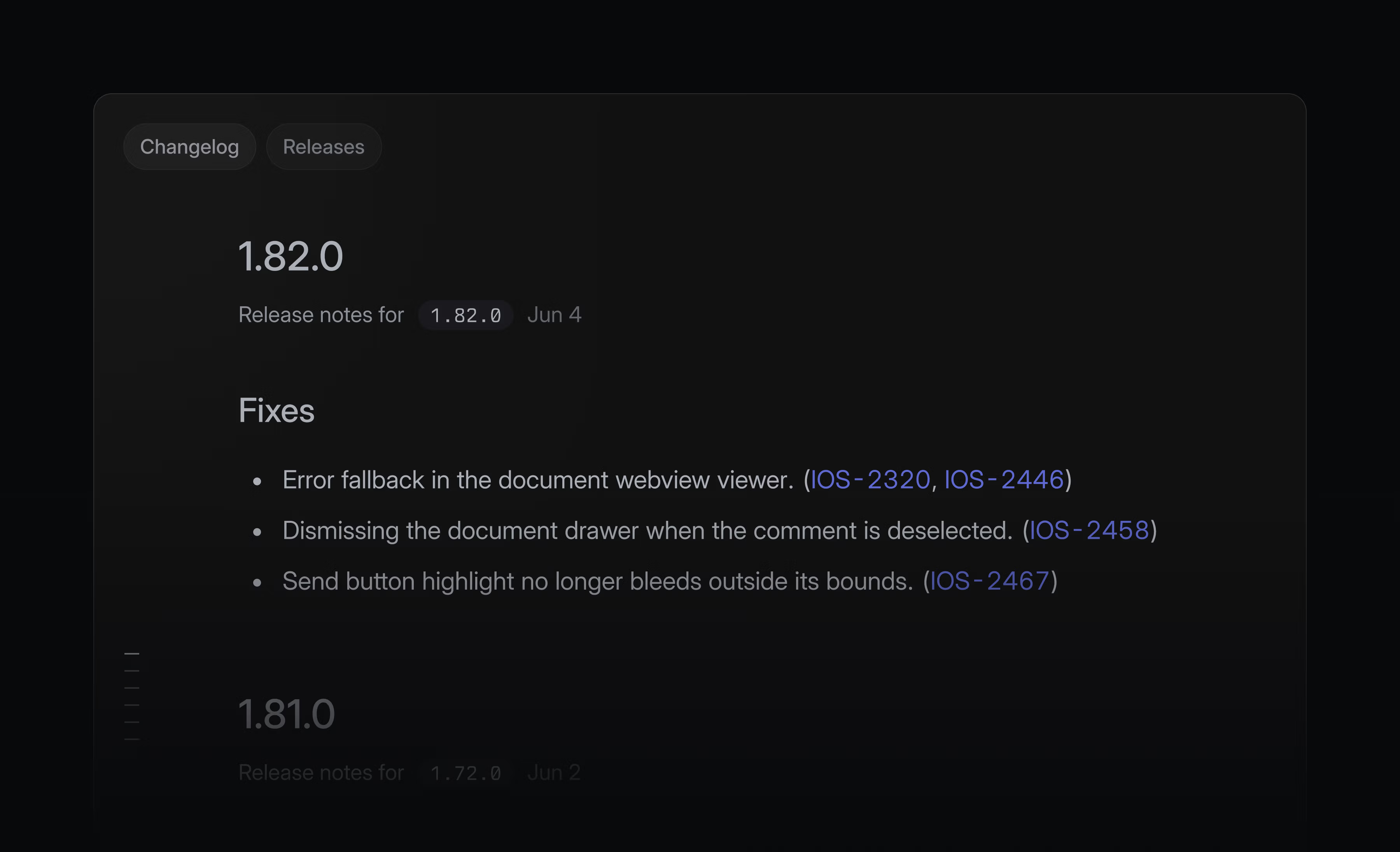
Releases let you plan and track your software releases. Now, you can also keep your team aligned on what’s shipping with changelogs for each release pipeline. These changelogs bring a pipeline’s release notes together in one place, so progress is easy to review and share.
Choose to auto-generate release notes in pipeline settings so your changelog is always up to date. Learn more in our documentation.
OAuth application manifests
OAuth application manifests let platforms provide a one-click OAuth app setup experience for users creating integrations.
Use URL parameters to send users directly to a pre-filled Create OAuth App form in Linear. An equivalent JSON manifest format lets you store configurations in files, validate them locally, or generate them programmatically.
Find the details in our developer docs.
-
Command menu
Added the missing command menu action for recently deleted initiatives
-
Comments
Threaded comment highlight corners now match with the reply composer below the thread
-
Customers
Fixed stale customer request counts on issues and projects after archiving or restoring customer requests
-
Desktop
Middle-clicking a link to a document comment now properly navigates to the comment
-
Diffs
Fixed the Unified/Split layout toggle not taking effect when a narrow column had forced the diff into unified view
-
Diffs
The tooltip on group headers in the Reviews inbox now covers the entire clickable header
-
Documents
Creating an issue from a selection in a team document now creates it in the correct team
-
Duplicates
When you remove a duplicate relation, it now restores the issue’s last status
-
Duplicates
Fixed duplicate merges running concurrently for the same issue during bulk deduplication
-
Filters
Fixed the filter button not staying visually active while its menu is open
-
Front
Fixed processing Front conversation links for conversations without a primary recipient
-
GitHub
Fixed GitHub integrations being marked “disconnected” after a transient GitHub authentication blip
-
Inbox
We no longer send a removed from merge queue notification when a pull request is successfully merged by GitHub’s merge queue
-
Inbox
Fixed inbox notifications occasionally appearing as blank while the sender’s name was loading
-
Insights
Fixed release-filtered burn-up charts failing to render
-
Issues
Fixed oversized issue status icons in delete confirmation toasts
-
Milestones
Fixed a flicker in the milestone list when creating the first milestone from a project overview
-
Notifications
Each recipient’s name display preference is now respected in project and initiative update notifications
-
Project Updates
Fixed the project updates panel occasionally leaving an empty wrapper element on the page after navigating elsewhere
-
Pull requests
Right-clicking pull request pills in issue lists now opens the correct menu
-
Pull requests
Fixed pull request details overflowing their container when hovering over a PR badge
-
SCIM
Renaming a linked SCIM role group (e.g.
linear-admins) in the identity provider no longer causes Linear to stop managing the associated role -
Settings
Prevented the language selector from overlapping the scrollbar in Code & Reviews settings
-
Settings
Fixed an odd transition when switching between the same settings page of different teams
-
Slack
Slack thread sync no longer fails to import a comment when one of its reactions came from a user without access to the issue
-
Slack
Underscores in pull request titles are now preserved in Slack notifications
-
Slack
Slack comment notifications now link out to unsupported images instead of sending invalid Slack image blocks
-
Slack
Slack pasted message links now sync to Linear threads as a clickable link
-
Agents
AI chat thinking steps are now shown as blockquotes when copying conversations as markdown
-
Diffs
Added a “Missing issue” PR filter that shows PRs without a linked issue
-
Diffs
Raised the size limit for generating Guides on larger pull request diffs
-
Diffs
Holding Opt and clicking the chevron in the file header now expands/collapses all files
-
Diffs
Review list approval copy now shows who approved a pull request
-
Diffs
Whole added/removed lines in diffs render more clearly with the same color as inline added/removed characters
-
Diffs
Added the ability to use custom font for code in diffs
-
Diffs
Added contextual help about the Reviews feature and related keyboard shortcuts
-
Diffs
Polished the pull request review layout — removed the divider between the conversation and code columns, and the Guide now has even horizontal padding with the scrollbar no longer overlapping content
-
Diffs
Added copy link to file actions in pull request diffs
-
GitHub/GitLab
Unassigned triage issues remain in triage for Git request and commit automations, unless the final merged change closes the issue
-
PagerDuty
Added support for PagerDuty shift-based schedules, so triage responsibility on-call now syncs from both shift-based (v3) and classic layer-based schedules (v2)
-
Team documents
The documents list now supports multi-select
-
Views
Updated the sort direction icons so the arrow direction matches the active sort order
-
MCP project status update tools are now available in workspaces without recent project update history
-
Fixed issue with fetches failing when descriptions contained Unicode line or paragraph separators
-
templateCreateandtemplateUpdatenow reject unsupported form field payloads
