# supabase.com
11 of 11 indexed pages, ordered by how often the site's own
pages cite them. This is all of them.
Indexed by stealpage. Full record: https://stealpage.com/d/supabase.com
---
## Supabase | The Postgres Development Platform
· 69 words
### Build in a weekendScale to millions
Start your project with a Postgres database. Add Authentication, Data APIs, Edge Functions, Realtime Data, Storage, and Vector embeddings.
#### Use Supabase with React
### Open source from day one
Supabase is built in the open because we believe great developer tools should be transparent, inspectable, and owned by the community. Read, contribute, self-host. You're never locked in, and always in control.
---
## Join the Supabase Discord Server!
· 53 words
You've been invited to join
5,318 Online
54,055 Members
Display Name
This is how others see you. You can use special characters and emoji.
Date of Birth
Month
Month,
Month
Day
Day,
Day
Year
Year,
Year
By clicking “Create Account,” you agree to Discord's [Terms of Service](https://discord.com/terms) and have read the [Privacy Policy](https://discord.com/privacy)
---
## Customer Stories | Supabase
· 702 words
### Discover case studies on how Supabase is being used around the world to quickly create outstanding products and set new industry standards.
[


How Lingo.dev clears enterprise security reviews without a single database question
Learn more
](https://supabase.com/customers/lingo-dev)[


How QA.tech built enterprise-ready AI testing agents on Supabase
Learn more
](https://supabase.com/customers/qa-tech)[


How Supabase helps power millions of apps on Lovable
Learn more
](https://supabase.com/customers/lovable)[


How delight.ai lets every team build production apps on Supabase
Learn more
](https://supabase.com/customers/delightai)[


Built for everyone: how Drew Clayborn is coding a lifeline for home care
Learn more
](https://supabase.com/customers/drew-crew)[


Chatbase goes upmarket on Supabase
Learn more
](https://supabase.com/customers/chatbase)[


Cofounder builds autonomous companies on Supabase
Learn more
](https://supabase.com/customers/cofounder)[


Hyper builds AI marketing agents on Supabase
Learn more
](https://supabase.com/customers/hyper)[


How Brevo built AI-powered sales workflows on Supabase, without waiting for engineering
Learn more
](https://supabase.com/customers/brevo)[


How eXp Realty Unlocked Enterprise Innovation and Cut SaaS Costs with Supabase
Learn more
](https://supabase.com/customers/exprealty)[


GovSignals builds the AI platform for Government Contractors on Supabase
Learn more
](https://supabase.com/customers/govsignals)[


Koodos scales its social discovery app Shelf on Supabase
Learn more
](https://supabase.com/customers/koodos)[


Phoenix Energy completes critical infrastructure migration in six months with Supabase
Learn more
](https://supabase.com/customers/phoenix-energy)[


Rally builds a pan-European fleet payments platform on Supabase
Learn more
](https://supabase.com/customers/rally)[


From Hackathon to Funded Startup: How Soshi Built an AI Social Media Manager on Supabase
Learn more
](https://supabase.com/customers/soshi)[


Kayhan Space saw 8x improvement in developer speed when moving to Supabase
Learn more
](https://supabase.com/customers/kayhanspace)[


Udio hits the right notes with Supabase
Learn more
](https://supabase.com/customers/udio)[


Euka used Supabase to unlock faster growth
Learn more
](https://supabase.com/customers/euka)[


Bree's Migration to Supabase from Fauna
Learn more
](https://supabase.com/customers/bree)[


Quilia Saves 75% in Development Time with Supabase’s Data API and RLS Features
Learn more
](https://supabase.com/customers/quilia)[


Deriv's Journey with Supabase
Learn more
](https://supabase.com/customers/deriv)[


Scaling Beyond No-Code: asap.work’s Journey to a Faster, Flexible Solution with Supabase
Learn more
](https://supabase.com/customers/asap-work)[


Scaling Innovation with Supabase: Meshy’s Migration to Cost-Effective Authentication
Learn more
](https://supabase.com/customers/meshy)[


Resend's Journey with Supabase: Scaling Email Infrastructure with Ease
Learn more
](https://supabase.com/customers/resend)[


Juniver built a self-serve B2B platform with Supabase to scale eating disorder recovery
Learn more
](https://supabase.com/customers/juniver)[


E2B: Accelerating AI-Driven Development with Supabase
Learn more
](https://supabase.com/customers/e2b)[


Humata Scales with Supabase: Achieving 4X Cost Savings and Enhanced Performance
Learn more
](https://supabase.com/customers/humata)[


Maergo's Express Delivery: How Supabase Helped Achieve Scalability, Speed, and Cost Saving
Learn more
](https://supabase.com/customers/maergo)[


Streamlining Success: How Tinloof Scaled Seamlessly with Supabase
Learn more
](https://supabase.com/customers/tinloof)[


Voypost uses Supabase’s strong relational model to overcome NoSQL challenges
Learn more
](https://supabase.com/customers/voypost)[


Supabase migration delivers an 83% reduction in data infrastructure costs for Shotgun
Learn more
](https://supabase.com/customers/shotgun)[


How Next Door Lending leveraged Supabase to become a top 10 mortgage broker
Learn more
](https://supabase.com/customers/next-door-lending)[


Good Tape migrates to Supabase managed Postgres and Authentication and achieves database efficiency and a 60% cost reduction.
Learn more
](https://supabase.com/customers/good-tape)[


Scaling securely: one million users in 7 months with Supabase Auth
Learn more
](https://supabase.com/customers/pebblely)[


Quivr launch 5,000 Vector databases on Supabase.
Learn more
](https://supabase.com/customers/quivr)[


Berri AI boosts productivity by migrating from AWS RDS to Supabase Vector
Learn more
](https://supabase.com/customers/berriai)[


Markprompt and Supabase - GDPR-compliant AI chatbots for docs and websites.
Learn more
](https://supabase.com/customers/markprompt)[


Firecrawl switches from Pinecone to Supabase Vector for PostgreSQL vector embeddings.
Learn more
](https://supabase.com/customers/firecrawl)[


HappyTeams unlocks better performance and reduces cost with Supabase.
Learn more
](https://supabase.com/customers/happyteams)[


Epsilon3 digitize paper-based procedures in the space industry using telemetry data, simplifying testing and operations.
Learn more
](https://supabase.com/customers/epsilon3)[


How Mobbin migrated 200,000 users from Firebase for a better authentication experience.
Learn more
](https://supabase.com/customers/mobbin)[


Replenysh uses Supabase to implement OTP in less than 24 hours.
Learn more
](https://supabase.com/customers/replenysh)[


Xendit use Supabase and create a full solution shipped to production in less than one week.
Learn more
](https://supabase.com/customers/xendit)
---
## Chatbase goes upmarket on Supabase
· 2026-05-18 · 2559 words
> Instead of splitting things out as we go, we try to consolidate things more as we do. The technology itself works better when you have things that are closely tied together. That's why we're on Supabase.
>
> 
>
> Yasser Elsaid, Founder and CEO, Chatbase
[Chatbase](https://www.chatbase.co/) is the platform behind tens of thousands of customer facing AI support agents in production today. The product started in February 2023 as a way to upload a PDF and get a custom ChatGPT trained on your own data, and it has since grown into a full platform for building agents that not only answer questions but also take action on behalf of customers through services like Stripe, [Cal.com](https://cal.com/), and a long list of other integrations.
Founded by Yasser Elsaid as a bootstrapped, single founder project, Chatbase has grown into an 18 person company with eleven engineers, more than 8,000 paying customers, and an ARR that has climbed past 10 million dollars without a single dollar of venture funding. The next phase is harder than the last one. Chatbase is now moving upmarket into the enterprise, building a more reliable solution for larger customers, and aiming for a 100 million dollar ARR target over the next several years. Through every phase of that journey, from the first weekend of building the MVP to running constant inference workloads against retrieval augmented chatbots that handle millions of customer interactions, the backend underneath the product has stayed the same.
Chatbase runs on Supabase.
This is the story of how a strategy of consolidation onto a single Postgres backed platform let one founder go from zero to 10 million in ARR with a team of 18, and why that same strategy is the spine of Chatbase's plan to get from 10 to 100.
When Yasser started building Chatbase in late 2022, the GPT3 API had only just become broadly accessible and the ChatGPT moment was about to redefine what users expected from software. He had no team, no funding, and no time to spend stitching together a backend from a database vendor, an auth provider, a storage service, and a real time engine. The competitive window for an AI product in early 2023 was measured in weeks, not quarters.
The challenge was straightforward in its description and brutal in its execution. Yasser needed a backend that could store the source documents customers uploaded, generate and persist embeddings, authenticate users, hold conversation state for every chatbot session, and serve a dashboard that customers would actually use to manage their bots. He needed all of that without hiring a backend engineer, because there was no backend engineer to hire. And he needed it to be ready by the time he was ready to launch.
> Supabase is great because it has everything. I don't need a different solution for authentication, a different solution for database, or a different solution for storage.
>
> 
>
> Yasser Elsaid, Founder and CEO, Chatbase
Yasser is clear that the playbook changed once Chatbase had its first cohort of customers. The early phase of any product is mostly a fight for attention, where the question is how to get enough users in the door to learn what works and what does not. The phase Chatbase is in now is fundamentally about reliability and trust.
> I think it's very different going from zero to one million than going from one million to ten. After you have this first set of users, things change. It's more about how can I make the product actually useful and have them have full trust in the product, where they're fine being dependent on it even if it's a big part of their business.
>
> 
>
> Yasser Elsaid, Founder and CEO, Chatbase
Going from 10 million in ARR to 100 million is the same kind of step change again, only larger. The work shifts to building an even more reliable platform that enterprise customers can depend on, brand and trust become a bigger part of the story, and the underlying infrastructure has to keep up without ever becoming the thing the team has to worry about.
### The consolidation play: from Pinecone to Postgres, and from many vendors to one[#](#the-consolidation-play-from-pinecone-to-postgres-and-from-many-vendors-to-one)
The instinct of most engineering teams as they scale is to split their stack into specialized tools. Chatbase did the opposite. As the product matured, the team kept pulling functionality back into Supabase rather than spreading it across more vendors.
The clearest example is vector search. When Chatbase launched, Pinecone was the obvious choice for vector embeddings, because that was the standard playbook for a retrieval augmented chatbot in 2023. As pgvector matured inside Postgres, Chatbase migrated the embedding workload off Pinecone and onto Supabase. The win was not just one less vendor on the invoice. It was that everything around the embeddings now lived in the same database.
> We did the opposite. We were using Pinecone for vector embeddings because that was the default a few years ago. But instead of splitting out things as we go, we try to consolidate things more as we do.
>
> 
>
> Yasser Elsaid, Founder and CEO, Chatbase
As Chatbase has grown, the database workload has grown with it, and the team has recently begun a focused effort to optimize the primary instance for the next phase of the company. The trigger is the arrival of meaningful analytical work. Chatbase started using Metabase to drive deeper business reporting in early 2026, which has introduced a daily pattern of heavy analytical queries that pull more data through the database than any typical transactional path ever did.
The concrete payoff shows up in places that are easy to underestimate from a slide deck. Cascading deletes are a good example. If a customer deletes a document or an agent, that delete has to propagate through every related piece of data, including embeddings. With a separate vector vendor, the application has to delete in Supabase, then call the vector service, retry on failure, and reason about what happens if one of those calls succeeds and the other does not. Inside Postgres, a cascade simply happens, with no application code and no failure modes to design around.
The same logic applies to operational support. With one platform, Chatbase has a single point of contact that has full context on every piece of the stack, instead of triaging issues across three or four vendors who each only see their own slice.
> It's good to have one point of contact that has a lot of context on the services you're using and how they interact with each other, instead of working with three or four vendors and finding it very hard to pinpoint where something is failing.
>
> 
>
> Yasser Elsaid, Founder and CEO, Chatbase
With Claude Code, Cursor, and Codex now writing a significant share of the code at most AI native companies, the question is no longer just which backend the team likes. It is which backend the LLM already knows cold.
> A lot of your interaction with the code is going to be through an LLM. So you want to choose tools that LLMs are very proficient at, that are always updated, and that they know how to use. If Cursor or Claude Code or Codex is your first employee, you wouldn't tell a React dev to do database stuff. Choose the backend where these things are proficient, because they're going to be doing a lot of your work. Right now, that's Supabase.
>
> 
>
> Yasser Elsaid, Founder and CEO, Chatbase
That framing has practical consequences for Chatbase. When a new engineer joins the company, there is no formal Supabase onboarding. They get a small bug to fix in their first week, and by the second week they are productive inside the data layer. The combination of a Postgres backend that LLMs are deeply trained on and an AI assisted development workflow means new engineers and the company's AI tools converge on productivity almost immediately.
The consolidation philosophy is not just about the customer facing product. Chatbase has built a growing collection of internal tools on Supabase that the entire company uses every day, and many of those tools are used by non engineers writing SQL conversationally with AI.
The Go to Market Tracker is one example. When a high value account signs up, an automated workflow enriches the lead with company and contact data and writes it into a Supabase database that the marketing and sales teams can query directly. Anyone on those teams can ask a question like "who signed up in the last two days at a company doing over 10 million in revenue" as a SQL query, and the result populates instantly so the sales team can reach out.
The Employee Generated Content Tracker is another. Chatbase has invested heavily in content from the team, not just from the founder, and the tracker monitors every post against the impression targets the team has set. Both tools were built quickly because spinning up a new Supabase project is trivial, and both are now critical for the way Chatbase goes to market.
> Things that used to be blocked by engineering, because only one engineer had access to the database or knew how to write a SQL query, are now unlocked. Our support team has access to the Supabase database. Our marketing team has access. When they need something, they just query.
>
> 
>
> Yasser Elsaid, Founder and CEO, Chatbase
As Chatbase moves upmarket, the database workload has grown with the company, and the engineering team has begun a focused effort to make the primary instance ready for enterprise scale. The trigger is the arrival of meaningful analytical work. Chatbase started using Metabase to drive deeper business reporting in early 2026, and that introduced a daily pattern of heavy analytical queries that pull more data through the database than any typical transactional path ever did.
Working alongside the Supabase team, Chatbase identified that those analytical queries were periodically pushing the primary instance to the limits of its current disk configuration. The database was hitting its 3,000 IOPS ceiling at least once a week and routinely saturating its 125 megabyte per second throughput limit during scheduled report runs. While the average IOPS utilization on the instance is well under half its capacity, the peaks during analytical runs were eating into the file cache and creating IO wait that affected unrelated transactional queries running at the same time.
The plan is straightforward and is exactly the kind of plan that a small engineering team can actually execute. First, identify the worst offending queries from the Postgres logs and from PG Hero, and rewrite or index them where possible. Second, increase IOPS and throughput on the primary instance to take pressure off the disk during peak analytical windows. Third, introduce a [read replica](https://supabase.com/docs/guides/platform/read-replicas) that takes over the analytical workload entirely, so that the primary instance is free to handle transactional traffic without contention. Drizzle has native support for routing read queries to a replica, which makes the application side of that move comparatively small.
That work is happening alongside the everyday support relationship, which Yasser describes as one of the more valuable things Chatbase gets out of the platform. The Supabase and Chatbase teams work through a shared Slack channel, walking Grafana dashboards, PG Hero, and the Postgres logs in the same working sessions where the optimization plan got built.
> Sometimes we get a message on Slack about higher than normal usage or getting close to a limit on the plan. Having that Slack channel and that open line of communication has been extremely helpful.
>
> 
>
> Yasser Elsaid, Founder and CEO, Chatbase
Chatbase has crossed several thresholds on the back of the Supabase stack:
- More than 8,000 paying customers across the platform as of early 2026
- An ARR that has climbed past 10 million dollars on a fully bootstrapped, no funding model
- An engineering team that is 11 out of 18 people, which is unusually engineering heavy for a company at this scale and is only possible because the team does not have to spend its time operating its own backend
- A continuous AI agent workload that runs across the full Supabase stack with database, authentication, storage, real time, and pgvector on a single primary instance, augmented by targeted IOPS and throughput tuning as the analytical workload has grown
- Internal tools across marketing, sales, and support that let non engineers query the database directly, replacing the engineering bottleneck that exists at most companies of Chatbase's size
- A two week MVP that became a multi million visitor product in its first year and is now the foundation underneath thousands of production AI support agents around the world
- Zero major migrations across the entire history of the company
> I'm happy with the stack that we started with because we didn't have to do a big migration one or two years in because of an issue with the tech stack.
>
> 
>
> Yasser Elsaid, Founder and CEO, Chatbase
Chatbase has set its sights on a 100 million dollar ARR target over the next several years, and the company plans to get there with the same engineering led, bootstrapped, customer obsessed approach that took it from zero to 10 million. The work is fundamentally about going upmarket: winning larger enterprise customers, building the kind of reliability those customers expect, and continuing to consolidate the stack rather than fragment it.
The product roadmap includes opening up an AI Co Founder API so that other SaaS products can embed a Chatbase growth agent directly inside their own user experience. On the infrastructure side, the next twelve months of work on Supabase are already mapped. Chatbase will continue to tune the primary instance for transactional performance, introduce a read replica to isolate analytical workloads, and continue working with the Supabase Postgres team on slow query identification and remediation. Longer term, the team is watching the Supabase roadmap for capabilities like Multigres and Iceberg integration, which would give them a path to keep every customer interaction without paying live Postgres prices for cold historical data.
Yasser's advice to other bootstrapped AI founders choosing a backend on day one in 2026 has two parts that compound each other. Choose the thing that lets you move fastest now. And choose the thing the LLMs writing your code already know best. For Chatbase, those two answers were the same answer, and they have stayed the same answer for three years. It's Supabase.
> Supabase is going to make you move faster. It's what the LLMs know better than anything else. That's important because a lot of your interaction with the code is going to be through an LLM.
>
> 
>
> Yasser Elsaid, Founder and CEO, Chatbase
---
## Phoenix Energy | Supabase Customer Stories
· 2025-11-13 · 975 words
> We needed a system that could handle serious performance and security requirements — without slowing down our developers. Supabase has given us both.
>
> 
>
> Kris Woods, CTO, Phoenix Energy
[Phoenix Energy](https://www.phoenixenergy.com/) (formerly Phoenix Capital Group) operates across oil and gas drilling, mineral rights acquisition, and direct investment through corporate bonds. The team rebranded in early 2024 to reflect its evolution into a full-fledged energy company.
Facing MongoDB's SDK and Data API deprecation with only 12 months to migrate, Phoenix Energy's seven-person engineering team rebuilt their entire data infrastructure on **Supabase**, completing the migration a month ahead of schedule while maintaining zero downtime for their investor-facing applications.
Phoenix Energy ran three business-critical applications on MongoDB's Data API, SDKs, and authentication system: an investor portal at [invest.phoenixenergy.com](https://invest.phoenixenergy.com/), an internal investment admin system, and Ark, a custom-built CRM that replaced Salesforce.
When MongoDB announced the immediate deprecation of the SDKs and Data API in September 2024, the team faced several critical challenges:
- **Complete infrastructure replacement** across authentication, database, storage, and API endpoints
- **Three production applications** dependent on the deprecated stack
- **Compressed migration window** with only 12 months to evaluate, migrate, and validate
- **Performance concerns** after early testing showed 20-30× slower response times on suggested alternatives
- **User experience risk** where any friction in the investor portal could cost conversions
> We had initially chosen MongoDB because it was all-in-one: auth, storage, database, endpoints. With that going away, we had to rethink our entire backend infrastructure. But it also gave us an opportunity to build something stronger. And that’s when we found Supabase.
>
> 
>
> Kris Woods, CTO, Phoenix Energy
Throughout the evaluation period—October through December 2024—the team explored MongoDB via Azure, Firebase, and Fauna. Each alternative came with significant drawbacks, from performance issues to unclear answers about long-term stability.
Supabase emerged as the clear choice, offering the same all-in-one appeal that initially drew Phoenix to MongoDB, but backed by a proven Postgres foundation.
> Supabase is exactly what once made MongoDB attractive. We had auth again, all in one place. We had database, we had storage. And it's built on open source Postgres, which has been tried and tested for many years. That gave us confidence.
>
> 
>
> Kris Woods, CTO, Phoenix Energy
**Why Supabase**
- **Proven foundation:** Postgres delivered the stability and maturity the team needed for critical workloads.
- **All-in-one platform:** Auth, database, APIs, and storage under one roof reduced dependencies and operational overhead.
- **Approachable learning curve:** Documentation and tooling enabled engineers of varying experience levels to onboard quickly.
- **Impressive performance:** Proof-of-concept tests exceeded MongoDB benchmarks before optimization.
- **Active roadmap:** Rapid iteration and an engaged community signaled long-term platform health.
- **Direct support:** Slack channels with Supabase engineers delivered real-time guidance during migration.
The team also appreciated that rising engineers could quickly become productive with Supabase's approachable API design and clear documentation, limiting onboarding friction during a high-pressure timeline.
With an August 2025 deadline, Phoenix Energy executed a parallel migration across all three applications using a tightly coordinated plan:
- **Custom migration tooling**
- Automated data cycling, syncing, testing, and validation between MongoDB and Supabase
- Continuous integration checks ensured parity across codebases during the rewrite
- **Complete query rewrite**
- Translated every NoSQL query into SQL patterns while preserving feature parity
- Introduced relational models that improved long-term data clarity and maintainability
- **Weekend cutover**
- Final data migration ran over a weekend, with the switch flipped Sunday night
- Only one day of minor issues surfaced during transition, resolved before Monday investor traffic
- **Direct team support**
- Supabase engineers provided hands-on guidance via connected Slack channels
- Best practices around security, indexing, and performance tuning were incorporated in real time
> We transitioned three applications in six months. We built migration tooling, rewrote every database query, and flipped the switch over a weekend. When everyone got back to work Monday, nobody really knew any different. The systems just worked.
>
> 
>
> Kris Woods, CTO, Phoenix Energy
Phoenix Energy completed the migration in August 2024—one month ahead of schedule—with measurable wins for both the business and engineering team.
- **Zero user-facing disruption** during and after migration across all investor applications
- **Improved performance** with noticeably faster responses ahead of further optimization work
- **Stronger foundation** ready for analytics and AI workloads powered by relational data models
- **Team confidence** to decommission MongoDB instances immediately after cutover
- **Six-month execution** from project kickoff to production transition with a seven-person team
- **Better developer experience** through clearer SQL workflows and faster debugging cycles
> We've been very happy with how that's gone. Our experience with the Supabase team has been great. Being able to get responses directly through the connected Slack channel made a huge difference.
>
> 
>
> Kris Woods, CTO, Phoenix Energy
With a reliable Supabase foundation in place, Phoenix Energy is focused on expanding its data capabilities and responsibly exploring AI:
- **Analytics infrastructure:** The team plans to use upcoming Supabase Pipelines features to build an end-to-end analytics stack without introducing new syncing layers.
- **AI workloads:** Engineers are testing vector databases and MCP servers in isolated Supabase environments, ensuring compliance with SEC regulations before production rollout.
> Supabase Pipelines is going to be really interesting for us. I'd love for everything to live in the same place so the team can focus on building impactful tools. It really does feel like Supabase is just getting started and I am excited about how we can grow with them from here.
>
> 
>
> Kris Woods, CTO, Phoenix Energy
---
## Lovable | Supabase Customer Stories
· 2026-07-09 · 1053 words
> Lovable is about unlocking creativity for anyone. Only 1% of the population knows how to code. Lovable has unlocked that ability for the other 99%.
>
> 
>
> Bryan Byrne, Product Manager, Lovable
[Lovable](https://lovable.dev/) is one of the world's fastest-growing startups. Its mission is simple: let anyone create software. People come to Lovable, talk to Lovable, and turn their ideas into a web app or even a real business. You describe what you want. Lovable builds it. [People create one million new projects on Lovable every week](https://thebuildeconomy.lovable.app/). Behind many of these projects is a Supabase backend.
> Out of the box, Lovable gets a complete backend from Supabase. Everything from the database to file storage to backend compute. It unlocked the whole suite of backend capabilities our Lovable-built applications need.
>
> 
>
> Bryan Byrne, Product Manager, Lovable
Lovable started by building websites as single-page applications. These run in the user's browser. They are fast to prototype but have limitations. You can build a nice page where everything lives in code. But a real business needs more: a database, file storage, a place to run server code, and a way to keep data safe.
By the end of 2024, Lovable needed all of it. The team was about ten people, so the search began for a partner to bet on.
> It was not an option to start building something in-house at the time. So it was all about finding the right partner and betting on them.
>
> 
>
> Aleksei Petrov, Lead Engineer, Lovable
Lovable did not go looking for a database. It went looking for a whole backend. In January 2025, it integrated with Supabase. The fit was simple. One vendor gave Lovable everything its apps needed, all through an API. That let a ten-person team ship a full backend without building one, and Supabase has helped power Lovable's growth ever since.
> Why Supabase? It's not just about Postgres. It's about the whole package. It powers your app with the backend functionality you need: storage, a database, and the runtime where you run your backend.
>
> 
>
> Aleksei Petrov, Lead Engineer, Lovable
When someone builds on Lovable, they never ask for a database. They describe their idea. Lovable decides what the app needs and creates it. It spins up the project, builds the tables and storage buckets, writes the security policies, and deploys edge functions. Even the logs flow back the same way. All of it runs through the Supabase Management API.
Lovable uses nearly every Supabase service on top of it: Postgres, Auth, Storage, Edge Functions, Realtime for live updates, and Cron for scheduled jobs. Because each piece is modular and API-first, Lovable can combine them in any way a project requires.
> The Management API is the core of everything. We use it for about 90% of our interactions with Supabase.
>
> 
>
> Aleksei Petrov, Lead Engineer, Lovable
Lovable serves enterprises as well as solo builders. Enterprises bring stricter rules: where data lives, who can see it, and how it is audited. Data residency is one example. An enterprise admin can require that every project their team creates lives in a specific region, and Supabase makes that a single setting. The same foundation supports audit logging, user provisioning, and single sign-on. Enterprise teams use Lovable to build internal tools, connect to their own data warehouses, and run analysis on their own systems.
> Some enterprises have compliance requirements that all their data has to live in a specific region. Supabase made that very straightforward, and it accelerated our enterprise capabilities.
>
> 
>
> Bryan Byrne, Product Manager, Lovable
Supabase handles the backend so Lovable can spend its time on the one thing only Lovable can do: help anyone turn an idea into a working app. The team wants infrastructure they never have to think about. A boring product that just works beats an exciting one that wakes you up at night.
> Infrastructure should be boring. You want infrastructure you never think about, because it just works.
>
> 
>
> Bryan Byrne, Product Manager, Lovable
The team builds its own tools on Lovable, and each one runs on a Supabase project. Everything from the org chart to the company roadmap lives there. So does the iPad app at the front desk that checks in office guests.
> We never bought software for that. We just used Lovable and Supabase to create it, and it's used daily here.
>
> 
>
> Aleksei Petrov, Lead Engineer, Lovable
Lovable and Supabase think about security on behalf of their users. Supabase Row Level Security gives every project a foundation for keeping data private, so apps are secure by default. On top of that, Lovable recently shipped a security scanner that checks every project, flags issues, and lets users fix them for free.
> We take security very seriously. It's a first principle. We provide a free security scanner for every project and users can address any issues the scanner finds for free.
>
> 
>
> Bryan Byrne, Product Manager, Lovable
Lovable wants to be there for the whole life of a business, not just the first build. It recently launched SEO and answer engine optimization tooling so the apps people build get found by search engines and AI platforms. More enterprise connectors and controls are on the way. Through all of it, Supabase stays the backend underneath.
> We want to be your co-founder as you grow your business. You build your project on Lovable, you run it, and you grow it. Behind the scenes, Supabase is powering that.
>
> 
>
> Bryan Byrne, Product Manager, Lovable
> Supabase is there with the backend we need, enabling Lovable to focus on what we do best: helping anyone turn an idea into a real business.
>
> 
>
> Bryan Byrne, Product Manager, Lovable
---
## Rally | Supabase Customer Stories
· 2025-10-21 · 1036 words
> We could not have built this company without Supabase. If I had to go and build all these components myself, we wouldn't even have launched.
>
> 
>
> Thiago Peres, Founder & CTO, Rally
[Rally](https://www.getrally.com/) is building a financial platform for fleets across Europe, starting with a modern fuel card that lets businesses pay for everything from fuel to tolls, parking, and EV charging.
Founded by former Stripe, Meta, and Booking product manager **[Thiago Peres](https://www.linkedin.com/in/thiagoperespm/)**, Rally serves medium to large European businesses with vehicles and drivers on the road, from delivery and service companies to quick-service restaurant chains.
What began as a solo project quickly became a fully licensed fintech company processing live transactions across Europe, all built on Supabase.
[Rally](https://www.getrally.com/) set out to modernize fleet payments by simplifying expense management, reducing fraud, and giving fleet managers real-time visibility into spend.
To achieve that, they needed a backend that was robust, secure, and compliant, but also fast to build with. As a first-time builder returning to code after a decade in product management, Peres wanted to focus on the product experience rather than setting up infrastructure.
> We're dealing with financial information. You can't afford data inconsistencies or downtime. We needed something resilient from day one.
>
> 
>
> Thiago Peres, Founder & CTO, Rally
Building a fintech platform typically means orchestrating databases, file storage, auth systems, and messaging queues under strict compliance requirements. For a small team, that complexity could have made Rally's launch impossible.
When Peres began experimenting with prototypes, Supabase stood out immediately.
> It was very developer centric. The documentation was so good that it felt like part of the product. Everything worked together — database, storage, functions — in a cohesive way.
>
> 
>
> Thiago Peres, Founder & CTO, Rally
Supabase offered the power and reliability of Postgres combined with real-time APIs, Auth, Storage, and Edge Functions integrated out of the box. For a founder-CTO building solo, that cohesion made Rally possible.
Peres also valued Supabase's open-source model, which ensured flexibility and long-term control.
> Having seen how lock-in works elsewhere, open source gave me peace of mind. If Supabase works, amazing, but if it didn't, I wouldn't be stuck.
>
> 
>
> Thiago Peres, Founder & CTO, Rally
Compared to alternatives like Firebase or traditional cloud databases, Supabase offered the right balance of scalability, transparency, and developer experience with a predictable cost structure that is critical for a fast-moving fintech startup.
Rally's MVP moved from concept to production in just three months. Built entirely by Peres, the company's first banking-backed card went live to paying customers by January, just weeks after he began writing TypeScript and experimenting with Supabase.
Supabase now powers Rally's entire backend:
- **[Database](https://supabase.com/database) and resilience** – Postgres serves as the source of truth for every transaction, driver, and policy rule. Features like point-in-time recovery and managed load balancing give Rally confidence in handling critical financial data.
- **[Storage](https://supabase.com/storage)** – Rally processes thousands of invoices and receipts, leveraging Supabase Storage and image transformations to manage and display documents securely.
- **[Realtime](https://supabase.com/realtime)** – Used in Rally's in-house messaging system, especially its WhatsApp-based DriverLink, which lets drivers submit receipts and mileage instantly.
- **[Auth](https://supabase.com/auth)** – Manages user access across roles, from fleet managers to finance teams.
A key Rally innovation built on Supabase is Automatch, an AI-driven system that matches any WhatsApp-submitted receipt to the right transaction automatically.
> Supabase made it easy to build Automatch. Storage handles receipts securely, and Postgres keeps every workflow in sync, which is critical when you're dealing with money.
>
> 
>
> Thiago Peres, Founder & CTO, Rally
In less than a year, Rally scaled from prototype to production fintech serving fleets across Europe without a dedicated backend team. Supabase helped Rally move fast, stay compliant, and deliver reliability to customers who depend on uninterrupted access to funds.
- Three months to market from first line of code to live card transactions
- Zero downtime during incidents, even during upstream AWS outages
- SOC 2 compliance in one week, supported by Supabase's infrastructure and security controls
> One of the reasons we got our SOC 2 very, very quickly is because we were using Supabase. When all the requirements came on top of us, and also all the laws and regulations that we had to comply with, it was actually not very hard. We got our SOC 2 in a week. We did the work upfront to put the safeguards in place.
>
> 
>
> Thiago Peres, Founder & CTO, Rally
Rally continues to expand, adding EV charging payments and analytics dashboards powered by Supabase. The next phase includes sustainability benchmarking and AI-driven insights for fleet managers.
> Every time I think of a feature I'd love Supabase to have, it shows up a few months later. It's become my database provider, period.
>
> 
>
> Thiago Peres, Founder & CTO, Rally
Rally's journey reflects the reasons developers and fast-moving teams choose Supabase:
- **Faster time to market** – Supabase eliminates backend friction, enabling teams to build and ship faster
- **Integrated suite of tools** – Developers get a complete platform including Postgres, Auth, Storage, Realtime, and more
- **Developer-centric experience** – Comprehensive documentation and cohesive APIs make building intuitive
- **Built for compliance** – Infrastructure and security controls help fintech companies meet regulatory requirements
- **Open-source foundation** – Flexibility and control without vendor lock-in
> Don't try to reinvent the wheel, especially on fintech. Security and compliance is really at the core of every fintech. If you go with a provider like Supabase, you can leverage a lot of things like the backups and distribution and infrastructure. That can give you a lot of peace of mind when something goes wrong.
>
> 
>
> Thiago Peres, Founder & CTO, Rally
Start your journey today at [www.supabase.com](https://supabase.com/)
---
## Data REST API | Supabase Docs
· 2026-08-27 · 303 words
Supabase auto-generates an API directly from your database schema allowing you to connect to your database through a restful interface, directly from the browser.
The API is auto-generated from your database and is designed to get you building as fast as possible, without writing a single line of code.
You can use them directly from the browser (two-tier architecture), or as a complement to your own API server (three-tier architecture).
Supabase provides a RESTful API using [PostgREST](https://postgrest.org/), a thin API layer on top of Postgres. It exposes everything you need from a CRUD API at the URL `https://.supabase.co/rest/v1/`.
The REST interface is automatically reflected from your database's schema and is:
- **Instant and auto-generated:** As you update your database the changes are immediately accessible through your API.
- **Self documenting:** Supabase generates documentation in the Dashboard which updates as you make database changes.
- **Secure:** The API is configured to work with Postgres's Row Level Security, provisioned behind an API gateway with key-auth enabled.
- **Fast:** Our benchmarks for basic reads are more than 300% faster than Firebase. The API is a very thin layer on top of Postgres, which does most of the heavy lifting.
- **Scalable:** The API can serve thousands of simultaneous requests, and works well for Serverless workloads.
The reflected API is designed to retain as much of Postgres' capability as possible including:
- Basic CRUD operations (Create/Read/Update/Delete)
- Arbitrarily deep relationships among tables/views, functions that return table types can also nest related tables/views.
- Works with Postgres Views, Materialized Views and Foreign Tables
- Works with Postgres Functions
- User defined computed columns and computed relationships
- The Postgres security model - including Row Level Security, Roles, and Grants.
The REST API resolves all requests to a single SQL statement leading to fast response times and high throughput.
---
## Use Supabase with React | Supabase Docs
· 2026-08-27 · 558 words
Learn how to create a Supabase project, add some sample data to your database, and query the data from a React app.
To start, you need a Supabase project.
Create a new Supabase project from [the Dashboard of any organization](https://supabase.com/dashboard/new/_) you belong to.
When your Supabase project is up and running, create an `instruments` table with some sample data. Then set only the privileges each Postgres role needs, add [Row Level Security (RLS)](https://supabase.com/docs/guides/database/postgres/row-level-security) for enhanced security for database data by default, and create an RLS policy to make the data in the table publicly readable.
Do these steps within your project's dashboard by copying and running the snippet in your project's [SQL Editor](https://supabase.com/dashboard/project/_/sql/new).
Create a React app using a [Vite](https://vitejs.dev/guide/) template.
Supabase provides two ways to give AI tools context about your project: Agent Skills, which give your AI coding agent procedural knowledge, and the MCP server, which connects AI assistants to your Supabase project directly.
#### Agent Skills[#](#agent-skills)
[Agent Skills](https://supabase.com/docs/guides/ai-tools/ai-skills) is a curated set of instructions that give your AI agent procedural knowledge about working with Supabase.
Install them so your AI coding agent can produce more accurate, reliable code using current Supabase patterns, such as authentication, server-side rendering, and database migrations, rather than relying solely on training data.
##### Installing Agent Skills[#](#installing-agent-skills)
To install, run the following command in the root of your project:
#### Supabase MCP server[#](#supabase-mcp-server)
The Supabase MCP server connects AI assistants to Supabase, so they can inspect your schema and act on your projects on your behalf. Find out how to add it to your client in [the MCP docs](https://supabase.com/docs/guides/ai-tools/mcp).
The fastest way to get started is to use the `supabase-js` client library, which provides a convenient interface for working with Supabase from a React app.
Navigate to the React app and install `supabase-js`.
Create a `.env.local` file and populate it with your Supabase URL and publishable key that you can get from the helper below, or [from the project **Connect** panel](https://supabase.com/dashboard/project/_?showConnect=true&framework=react&connectTab=frameworks)
[
Open Connect panel
](https://supabase.com/dashboard/project/_?showConnect=true&connectTab=frameworks&framework=react)
.env.local
#### Get API details[#](#get-api-details)
To interact with data in database tables, you use the client libraries that wrap [the auto-generated Data API endpoints](https://supabase.com/docs/guides/api), authenticating using the Project URL and key from [the project **Connect** dialog](https://supabase.com/dashboard/project/_?showConnect=true&connectTab=frameworks&framework=react).
Project URL
Publishable key
Create a `src/lib` directory in your React app, create a file called `supabaseClient.js`, and add the following code to initialize the Supabase client:
src/lib/supabaseClient.js
Replace the contents of `App.jsx` with a `getInstruments` function that fetches the data and displays the query result on the page.
src/App.jsx
Run the development server, go to [http://localhost:5173](http://localhost:5173/) in a browser, and you should see the list of instruments.
The quickstart procedure in this guide optimizes for getting you to a working app, not for production.
Before you deploy:
- If your app reads or writes through the Data API, review your [Row Level Security](https://supabase.com/docs/guides/database/postgres/row-level-security) policies. Any policy you added here is scoped to this quickstart's sample data, not to real user data.
- Set your Supabase credentials as environment variables on whatever platform you deploy to, rather than committing them to source control.
- Configure a [custom domain](https://supabase.com/docs/guides/platform/custom-domains) for your Supabase project once you're ready to go live.
- Set up [Auth](https://supabase.com/docs/guides/auth) for your app
- [Insert more data](https://supabase.com/docs/guides/database/import-data) into your database
- Upload and serve static files using [Storage](https://supabase.com/docs/guides/storage)
- Explore [drop-in UI components](https://supabase.com/ui) for your Supabase app
---
## Supabase Vector | The Postgres Vector database and AI Toolkit
· 419 words
- [
Pricing
](https://supabase.com/pricing)
- [
Docs
](https://supabase.com/docs)
- [
Blog
](https://supabase.com/blog)
Supabase Vector
An open source Vector database for developing AI applications.
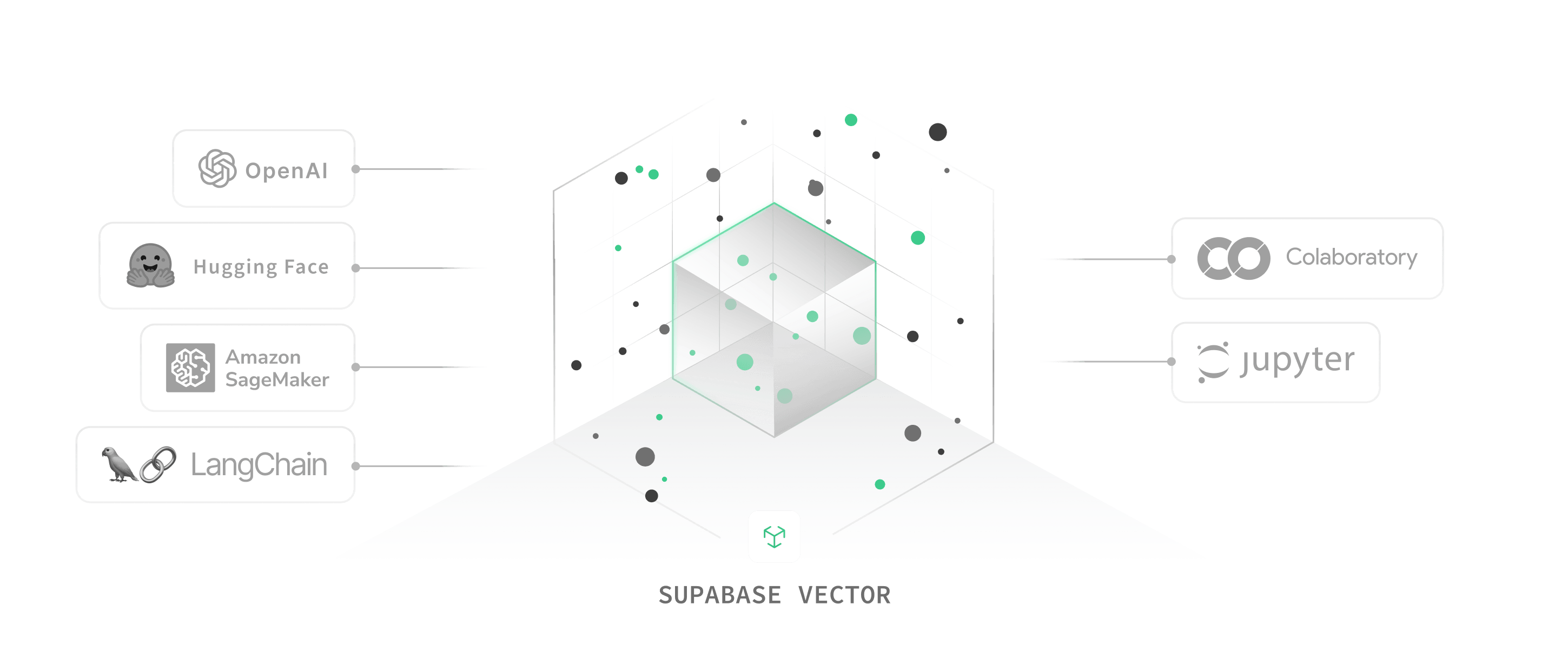
Use pgvector to store, index, and access embeddings, and our AI toolkit to build AI applications with Hugging Face and OpenAI.
#### Postgres + pgvector
Use pgvector to store, query, and index your vector embeddings at scale in a Postgres instance.

#### OpenAI and More
Easily connect to any LLM or embeddings API, including Hugging Face, SageMaker and more.
#### Secure and Scalable
Supabase is SOC2 Type 2 compliant, and comes with an advanced permissions system.
#### Deploy Globally
Choose from many globally-distributed data centres or self-host on your own cloud.
### Leverage the tools you love
### Simple yet
powerful APIs
Easy-to-use client libraries for managing and querying vector stores in Postgres.
[Explore documentation](https://supabase.com/docs/guides/ai/vecs-python-client)
Efficiently upsert millions of vectors with important metadata.
### What you can build
with Supabase Vector?
Scale effortlessly from experimentation to production-ready AI applications.
##### Semantic Search
Search your own knowledge base by semantic similarity.
[View example](https://supabase.com/docs/guides/ai/examples/headless-vector-search)
##### ChatGPT Plugins
Enhance chatbot memory with content-based long-term retention.
[View example](https://supabase.com/docs/guides/ai/examples/building-chatgpt-plugins)
##### OpenAI completions
Generate GPT text completions using OpenAI in Edge Functions.
[View example](https://supabase.com/docs/guides/ai/examples/openai)
##### Image Similarity
Transform images into image vector representations to detect similarity patterns.
[Open in Colab](https://colab.research.google.com/github/supabase/supabase/blob/master/examples/ai/face_similarity.ipynb)
##### Data Management
Automatically tag, deduplicate or detect patterns in your vector store.
[Open in Colab](https://colab.research.google.com/github/supabase/supabase/blob/master/examples/ai/semantic_text_deduplication.ipynb)
##### Next.js Vector Search
Learn how to build ChatGPT-style doc search powered by Next.js and OpenAI.
[View example](https://supabase.com/docs/guides/ai/examples/nextjs-vector-search)
### Powerful Features
Scale to millions
Develop, integrate, and deploy secure and enterprise-grade AI applications at unprecedented speed.
[Explore documentation](https://supabase.com/docs/guides/ai)
### Fully managed or Self-Hosted
Start with our hassle-free cloud platform, or self-host to keep everything within your infrastructure. You choose.
### Global & Multi-Region
Automatically provision and configure a fleet of applications across multiple regions to reduce read latency.
### Integrated
Store vector embeddings in the same database as your transactional data, simplifying your applications and improving performance.
### No Vendor Lock-In
Supabase uses open source tools to increase portability and avoid lock-in, making it easy to migrate in and out.
### Automatic Backups
Protect your data using automatic backups with Point In Time Recovery to ensure it's always safe and recoverable.
### Highly Scalable
Designed for unparalleled high performance and availability at global scale.
### Supabase Vector for Enterprise
Talk to one of our experts about scaling Supabase Vector
and managing embeddings at scale.
---
## CLI Reference | Supabase Docs
· 2026-08-27 · 8548 words
* * *
* * *
#### Flags
- \-p, --password
Optional
Password to your remote Postgres database.
* * *
Initialize configurations for Supabase local development.
A `supabase/config.toml` file is created in your current working directory. This configuration is specific to each local project.
> You may override the directory path by specifying the `SUPABASE_WORKDIR` environment variable or `--workdir` flag.
In addition to `config.toml`, the `supabase` directory may also contain other Supabase objects, such as `migrations`, `functions`, `tests`, etc.
#### Flags
- \--force
Optional
Overwrite existing supabase/config.toml.
- \-i, --interactive
Optional
Enables interactive mode to configure IDE settings.
- \--use-orioledb
Optional
Use OrioleDB storage engine for Postgres.
* * *
Connect the Supabase CLI to your Supabase account by logging in with your [personal access token](https://supabase.com/dashboard/account/tokens).
Your access token is stored securely in [native credentials storage](https://github.com/zalando/go-keyring#dependencies). If native credentials storage is unavailable, it will be written to a plain text file at `~/.supabase/access-token`.
> If this behavior is not desired, such as in a CI environment, you may skip login by specifying the `SUPABASE_ACCESS_TOKEN` environment variable in other commands.
The Supabase CLI uses the stored token to access Management APIs for projects, functions, secrets, etc.
#### Flags
- \--name
Optional
Name that will be used to store token in your settings
- \--no-browser
Optional
Do not open browser automatically
- \--token
Optional
Use provided token instead of automatic login flow
* * *
Link your local development project to a hosted Supabase project.
PostgREST configurations are fetched from the Supabase platform and validated against your local configuration file.
Optionally, database settings can be validated if you provide a password. Your database password is saved in native credentials storage if available.
> If you do not want to be prompted for the database password, such as in a CI environment, you may specify it explicitly via the `SUPABASE_DB_PASSWORD` environment variable.
Some commands like `db dump`, `db push`, and `db pull` require your project to be linked first.
#### Flags
- \-p, --password
Optional
Password to your remote Postgres database.
- \--project-ref
Optional
Project ref of the Supabase project.
- \--skip-pooler
Optional
Use direct connection instead of pooler.
* * *
Starts the Supabase local development stack.
Requires `supabase/config.toml` to be created in your current working directory by running `supabase init`.
All service containers are started by default. You can exclude those not needed by passing in `-x` flag. To exclude multiple containers, either pass in a comma separated string, such as `-x gotrue,imgproxy`, or specify `-x` flag multiple times.
> It is recommended to have at least 7GB of RAM to start all services.
Health checks are automatically added to verify the started containers. Use `--ignore-health-check` flag to ignore these errors.
> If the CLI is running inside a dev container with the Docker socket bind-mounted, set the `SUPABASE_SERVICES_HOSTNAME` environment variable to the hostname reachable from inside that container, such as `host.docker.internal`.
#### Flags
- \-x, --exclude
Optional
Names of containers to not start. \[gotrue,realtime,storage-api,imgproxy,kong,mailpit,postgrest,postgres-meta,studio,edge-runtime,logflare,vector,supavisor\]
- \--ignore-health-check
Optional
Ignore unhealthy services and exit 0
* * *
Stops the Supabase local development stack.
Requires `supabase/config.toml` to be created in your current working directory by running `supabase init`.
All Docker resources are maintained across restarts. Use `--no-backup` flag to reset your local development data between restarts.
Use the `--all` flag to stop all local Supabase projects instances on the machine. Use with caution with `--no-backup` as it will delete all supabase local projects data.
#### Flags
- \--all
Optional
Stop all local Supabase instances from all projects across the machine.
- \--no-backup
Optional
Deletes all data volumes after stopping.
- \--project-id
Optional
Local project ID to stop.
* * *
Shows status of the Supabase local development stack.
Requires the local development stack to be started by running `supabase start` or `supabase db start`.
You can export the connection parameters for [initializing supabase-js](https://supabase.com/docs/reference/javascript/initializing) locally by specifying the `-o env` flag. Supported parameters include `JWT_SECRET`, `ANON_KEY`, and `SERVICE_ROLE_KEY`.
#### Flags
- \--override-name
Optional
Override specific variable names.
* * *
* * *
Executes pgTAP tests against the local database.
Requires the local development stack to be started by running `supabase start`.
Runs `pg_prove` in a container with unit test files volume mounted from `supabase/tests` directory. The test file can be suffixed by either `.sql` or `.pg` extension.
Since each test is wrapped in its own transaction, it will be individually rolled back regardless of success or failure.
#### Flags
- \--db-url
Optional
Tests the database specified by the connection string (must be percent-encoded).
- \--linked
Optional
Runs pgTAP tests on the linked project.
- \--local
Optional
Runs pgTAP tests on the local database.
* * *
#### Flags
- \-t, --template <\[ pgtap \]>
Optional
Template framework to generate.
* * *
Automatically generates type definitions based on your Postgres database schema.
This command connects to your database (local or remote) and generates typed definitions that match your database tables, views, and stored procedures. By default, it generates TypeScript definitions, but also supports Go and Swift.
Generated types give you type safety and autocompletion when working with your database in code, helping prevent runtime errors and improving developer experience.
The types respect relationships, constraints, and custom types defined in your database schema.
#### Subcommands
- [supabase gen bearer-jwt](https://supabase.com/docs/reference/cli/supabase-gen-bearer-jwt)
- [supabase gen signing-key](https://supabase.com/docs/reference/cli/supabase-gen-signing-key)
- [supabase gen types](https://supabase.com/docs/reference/cli/supabase-gen-types)
* * *
Securely generate a private JWT signing key for use in the CLI or to import in the dashboard.
Supported algorithms: ES256 - ECDSA with P-256 curve and SHA-256 (recommended) RS256 - RSA with SHA-256
#### Flags
- \--algorithm <\[ RS256 | ES256 \]>
Optional
Algorithm for signing key generation.
- \--append
Optional
Append new key to existing keys file instead of overwriting.
* * *
#### Flags
- \--db-url
Optional
Generate types from a database url.
- \--lang <\[ typescript | go | swift | python \]>
Optional
Output language of the generated types.
- \--linked
Optional
Generate types from the linked project.
- \--local
Optional
Generate types from the local dev database.
- \--postgrest-v9-compat
Optional
Generate types compatible with PostgREST v9 and below.
- \--project-id
Optional
Generate types from a project ID.
- \--query-timeout
Optional
Maximum timeout allowed for the database query.
- \-s, --schema
Optional
Comma separated list of schema to include.
- \--swift-access-control <\[ internal | public \]>
Optional
Access control for Swift generated types.
* * *
#### Subcommands
- [supabase db advisors](https://supabase.com/docs/reference/cli/supabase-db-advisors)
- [supabase db diff](https://supabase.com/docs/reference/cli/supabase-db-diff)
- [supabase db dump](https://supabase.com/docs/reference/cli/supabase-db-dump)
- [supabase db lint](https://supabase.com/docs/reference/cli/supabase-db-lint)
- [supabase db pull](https://supabase.com/docs/reference/cli/supabase-db-pull)
- [supabase db push](https://supabase.com/docs/reference/cli/supabase-db-push)
- [supabase db query](https://supabase.com/docs/reference/cli/supabase-db-query)
- [supabase db reset](https://supabase.com/docs/reference/cli/supabase-db-reset)
- [supabase db schema](https://supabase.com/docs/reference/cli/supabase-db-schema)
- [supabase db start](https://supabase.com/docs/reference/cli/supabase-db-start)
* * *
Pulls schema changes from a remote database. A new migration file will be created under `supabase/migrations` directory.
Requires your local project to be linked to a remote database by running `supabase link`. For self-hosted databases, you can pass in the connection parameters using `--db-url` flag.
> Note this command requires Docker Desktop (or a running Docker daemon), as it starts a local Postgres container to diff your remote schema.
Optionally, a new row can be inserted into the migration history table to reflect the current state of the remote database.
If no entries exist in the migration history table, `pg_dump` will be used to capture all contents of the remote schemas you have created. Otherwise, this command will only diff schema changes against the remote database, similar to running `db diff --linked`.
Pass `--diff-engine pg-delta` to keep the migration-file `db pull` workflow while using pg-delta for the shadow diff step. Pass `--use-pg-delta` to switch to the declarative pg-delta export workflow instead.
#### Flags
- \--db-url
Optional
Pulls from the database specified by the connection string (must be percent-encoded).
- \--diff-engine <\[ migra | pg-delta \]>
Optional
Diff engine to use for migration-style db pull.
- \--linked
Optional
Pulls from the linked project.
- \--local
Optional
Pulls from the local database.
- \-p, --password
Optional
Password to your remote Postgres database.
- \-s, --schema
Optional
Comma separated list of schema to include.
- \--use-pg-delta
Optional
Use pg-delta to pull declarative schema.
* * *
Pushes all local migrations to a remote database.
Requires your local project to be linked to a remote database by running `supabase link`. For self-hosted databases, you can pass in the connection parameters using `--db-url` flag.
The first time this command is run, a migration history table will be created under `supabase_migrations.schema_migrations`. After successfully applying a migration, a new row will be inserted into the migration history table with timestamp as its unique id. Subsequent pushes will skip migrations that have already been applied.
If you need to mutate the migration history table, such as deleting existing entries or inserting new entries without actually running the migration, use the `migration repair` command.
Use the `--dry-run` flag to view the list of changes before applying.
#### Flags
- \--db-url
Optional
Pushes to the database specified by the connection string (must be percent-encoded).
- \--dry-run
Optional
Print the migrations that would be applied, but don't actually apply them.
- \--include-all
Optional
Include all migrations not found on remote history table.
- \--include-roles
Optional
Include custom roles from supabase/roles.sql.
- \--include-seed
Optional
Include seed data from your config.
- \--linked
Optional
Pushes to the linked project.
- \--local
Optional
Pushes to the local database.
- \-p, --password
Optional
Password to your remote Postgres database.
* * *
Resets the local database to a clean state.
Requires the local development stack to be started by running `supabase start`.
Recreates the local Postgres container and applies all local migrations found in `supabase/migrations` directory. If test data is defined in `supabase/seed.sql`, it will be seeded after the migrations are run. Any other data or schema changes made during local development will be discarded.
When running db reset with `--linked` or `--db-url` flag, a SQL script is executed to identify and drop all user created entities in the remote database. Since Postgres roles are cluster level entities, any custom roles created through the dashboard or `supabase/roles.sql` will not be deleted by remote reset.
#### Flags
- \--db-url
Optional
Resets the database specified by the connection string (must be percent-encoded).
- \--last
Optional
Reset up to the last n migration versions.
- \--linked
Optional
Resets the linked project with local migrations.
- \--local
Optional
Resets the local database with local migrations.
- \--no-seed
Optional
Skip running the seed script after reset.
- \--version
Optional
Reset up to the specified version.
* * *
Dumps contents from a remote database.
Requires your local project to be linked to a remote database by running `supabase link`. For self-hosted databases, you can pass in the connection parameters using `--db-url` flag.
Runs `pg_dump` in a container with additional flags to exclude Supabase managed schemas. The ignored schemas include auth, storage, and those created by extensions.
The default dump does not contain any data or custom roles. To dump those contents explicitly, specify either the `--data-only` and `--role-only` flag.
#### Note on Privilege Migration
When restoring to a new project, tables inherit ALL privileges from default privileges in the target database. To preserve specific privileges from your dump, revoke defaults before restoring:
```
-- Run BEFORE restoring your schema
ALTER DEFAULT PRIVILEGES IN SCHEMA public REVOKE ALL ON TABLES FROM anon, authenticated;
```
#### Flags
- \--data-only
Optional
Dumps only data records.
- \--db-url
Optional
Dumps from the database specified by the connection string (must be percent-encoded).
- \--dry-run
Optional
Prints the pg\_dump script that would be executed.
- \-x, --exclude
Optional
List of schema.tables to exclude from data-only dump.
- \-f, --file
Optional
File path to save the dumped contents.
- \--keep-comments
Optional
Keeps commented lines from pg\_dump output.
- \--linked
Optional
Dumps from the linked project.
- \--local
Optional
Dumps from the local database.
- \-p, --password
Optional
Password to your remote Postgres database.
- \--role-only
Optional
Dumps only cluster roles.
- \-s, --schema
Optional
Comma separated list of schema to include.
- \--use-copy
Optional
Use copy statements in place of inserts.
* * *
Diffs schema changes made to the local or remote database.
Requires the local development stack to be running when diffing against the local database. To diff against a remote or self-hosted database, specify the `--linked` or `--db-url` flag respectively.
Runs [djrobstep/migra](https://github.com/djrobstep/migra) in a container to compare schema differences between the target database and a shadow database. The shadow database is created by applying migrations in local `supabase/migrations` directory in a separate container. Output is written to stdout by default. For convenience, you can also save the schema diff as a new migration file by passing in `-f` flag.
By default, all schemas in the target database are diffed. Use the `--schema public,extensions` flag to restrict diffing to a subset of schemas.
While the diff command is able to capture most schema changes, there are cases where it is known to fail. Currently, this could happen if you schema contains:
- Changes to publication
- Changes to storage buckets
- Views with `security_invoker` attributes
#### Flags
- \--db-url
Optional
Diffs against the database specified by the connection string (must be percent-encoded).
- \-f, --file
Optional
Saves schema diff to a new migration file.
- \--from
Optional
Diff from local, linked, migrations, or a Postgres URL.
- \--linked
Optional
Diffs local migration files against the linked project.
- \--local
Optional
Diffs local migration files against the local database.
- \-o, --output
Optional
Write explicit diff output to a file path.
- \-s, --schema
Optional
Comma separated list of schema to include.
- \--to
Optional
Diff to local, linked, migrations, or a Postgres URL.
- \--use-migra
Optional
Use migra to generate schema diff.
- \--use-pg-delta
Optional
Use pg-delta to generate schema diff.
- \--use-pg-schema
Optional
Use pg-schema-diff to generate schema diff.
- \--use-pgadmin
Optional
Use pgAdmin to generate schema diff.
* * *
Lints local database for schema errors.
Requires the local development stack to be running when linting against the local database. To lint against a remote or self-hosted database, specify the `--linked` or `--db-url` flag respectively.
Runs `plpgsql_check` extension in the local Postgres container to check for errors in all schemas. The default lint level is `warning` and can be raised to error via the `--level` flag.
To lint against specific schemas only, pass in the `--schema` flag.
The `--fail-on` flag can be used to control when the command should exit with a non-zero status code. The possible values are:
- `none` (default): Always exit with a zero status code, regardless of lint results.
- `warning`: Exit with a non-zero status code if any warnings or errors are found.
- `error`: Exit with a non-zero status code only if errors are found.
This flag is particularly useful in CI/CD pipelines where you want to fail the build based on certain lint conditions.
#### Flags
- \--db-url
Optional
Lints the database specified by the connection string (must be percent-encoded).
- \--fail-on <\[ none | warning | error \]>
Optional
Error level to exit with non-zero status.
- \--level <\[ warning | error \]>
Optional
Error level to emit.
- \--linked
Optional
Lints the linked project for schema errors.
- \--local
Optional
Lints the local database for schema errors.
- \-s, --schema
Optional
Comma separated list of schema to include.
* * *
#### Flags
- \--from-backup
Optional
Path to a logical backup file.
* * *
#### Subcommands
- [supabase migration down](https://supabase.com/docs/reference/cli/supabase-migration-down)
- [supabase migration fetch](https://supabase.com/docs/reference/cli/supabase-migration-fetch)
- [supabase migration list](https://supabase.com/docs/reference/cli/supabase-migration-list)
- [supabase migration new](https://supabase.com/docs/reference/cli/supabase-migration-new)
- [supabase migration repair](https://supabase.com/docs/reference/cli/supabase-migration-repair)
- [supabase migration squash](https://supabase.com/docs/reference/cli/supabase-migration-squash)
- [supabase migration up](https://supabase.com/docs/reference/cli/supabase-migration-up)
* * *
Creates a new migration file locally.
A `supabase/migrations` directory will be created if it does not already exists in your current `workdir`. All schema migration files must be created in this directory following the pattern `_.sql`.
Outputs from other commands like `db diff` may be piped to `migration new ` via stdin.
* * *
Lists migration history in both local and remote databases.
Requires your local project to be linked to a remote database by running `supabase link`. For self-hosted databases, you can pass in the connection parameters using `--db-url` flag.
> Note that URL strings must be escaped according to [RFC 3986](https://www.rfc-editor.org/rfc/rfc3986).
Local migrations are stored in `supabase/migrations` directory while remote migrations are tracked in `supabase_migrations.schema_migrations` table. Only the timestamps are compared to identify any differences.
In case of discrepancies between the local and remote migration history, you can resolve them using the `migration repair` command.
#### Flags
- \--db-url
Optional
Lists migrations of the database specified by the connection string (must be percent-encoded).
- \--linked
Optional
Lists migrations applied to the linked project.
- \--local
Optional
Lists migrations applied to the local database.
- \-p, --password
Optional
Password to your remote Postgres database.
* * *
#### Flags
- \--db-url
Optional
Fetches migrations from the database specified by the connection string (must be percent-encoded).
- \--linked
Optional
Fetches migration history from the linked project.
- \--local
Optional
Fetches migration history from the local database.
* * *
Repairs the remote migration history table.
Requires your local project to be linked to a remote database by running `supabase link`.
If your local and remote migration history goes out of sync, you can repair the remote history by marking specific migrations as `--status applied` or `--status reverted`. Marking as `reverted` will delete an existing record from the migration history table while marking as `applied` will insert a new record.
For example, your migration history may look like the table below, with missing entries in either local or remote.
```
$ supabase migration list
LOCAL │ REMOTE │ TIME (UTC)
─────────────────┼────────────────┼──────────────────────
│ 20230103054303 │ 2023-01-03 05:43:03
20230103054315 │ │ 2023-01-03 05:43:15
```
To reset your migration history to a clean state, first delete your local migration file.
```
$ rm supabase/migrations/20230103054315_remote_commit.sql
$ supabase migration list
LOCAL │ REMOTE │ TIME (UTC)
─────────────────┼────────────────┼──────────────────────
│ 20230103054303 │ 2023-01-03 05:43:03
```
Then mark the remote migration `20230103054303` as reverted.
```
$ supabase migration repair 20230103054303 --status reverted
Connecting to remote database...
Repaired migration history: [20220810154537] => reverted
Finished supabase migration repair.
$ supabase migration list
LOCAL │ REMOTE │ TIME (UTC)
─────────────────┼────────────────┼──────────────────────
```
Now you can run `db pull` again to dump the remote schema as a local migration file.
```
$ supabase db pull
Connecting to remote database...
Schema written to supabase/migrations/20240414044403_remote_schema.sql
Update remote migration history table? [Y/n]
Repaired migration history: [20240414044403] => applied
Finished supabase db pull.
$ supabase migration list
LOCAL │ REMOTE │ TIME (UTC)
─────────────────┼────────────────┼──────────────────────
20240414044403 │ 20240414044403 │ 2024-04-14 04:44:03
```
#### Flags
- \--db-url
Optional
Repairs migrations of the database specified by the connection string (must be percent-encoded).
- \--linked
Optional
Repairs the migration history of the linked project.
- \--local
Optional
Repairs the migration history of the local database.
- \-p, --password
Optional
Password to your remote Postgres database.
- \--status <\[ applied | reverted \]>
Required
Version status to update.
* * *
Squashes local schema migrations to a single migration file.
The squashed migration is equivalent to a schema only dump of the local database after applying existing migration files. This is especially useful when you want to remove repeated modifications of the same schema from your migration history.
However, one limitation is that data manipulation statements, such as insert, update, or delete, are omitted from the squashed migration. You will have to add them back manually in a new migration file. This includes cron jobs, storage buckets, and any encrypted secrets in vault.
By default, the latest `_.sql` file will be updated to contain the squashed migration. You can override the target version using the `--version ` flag.
If your `supabase/migrations` directory is empty, running `supabase squash` will do nothing.
#### Flags
- \--db-url
Optional
Squashes migrations of the database specified by the connection string (must be percent-encoded).
- \--linked
Optional
Squashes the migration history of the linked project.
- \--local
Optional
Squashes the migration history of the local database.
- \-p, --password
Optional
Password to your remote Postgres database.
- \--version
Optional
Squash up to the specified version.
* * *
#### Flags
- \--db-url
Optional
Applies migrations to the database specified by the connection string (must be percent-encoded).
- \--include-all
Optional
Include all migrations not found on remote history table.
- \--linked
Optional
Applies pending migrations to the linked project.
- \--local
Optional
Applies pending migrations to the local database.
* * *
#### Flags
- \--db-url
Optional
Resets applied migrations on the database specified by the connection string (must be percent-encoded).
- \--last
Optional
Reset up to the last n migration versions.
- \--linked
Optional
Resets applied migrations on the linked project.
- \--local
Optional
Resets applied migrations on the local database.
* * *
* * *
#### Flags
- \--linked
Optional
Seeds the linked project.
- \--local
Optional
Seeds the local database.
* * *
#### Subcommands
- [supabase inspect db bloat](https://supabase.com/docs/reference/cli/supabase-inspect-db-bloat)
- [supabase inspect db blocking](https://supabase.com/docs/reference/cli/supabase-inspect-db-blocking)
- [supabase inspect db calls](https://supabase.com/docs/reference/cli/supabase-inspect-db-calls)
- [supabase inspect db db-stats](https://supabase.com/docs/reference/cli/supabase-inspect-db-db-stats)
- [supabase inspect db index-stats](https://supabase.com/docs/reference/cli/supabase-inspect-db-index-stats)
- [supabase inspect db locks](https://supabase.com/docs/reference/cli/supabase-inspect-db-locks)
- [supabase inspect db long-running-queries](https://supabase.com/docs/reference/cli/supabase-inspect-db-long-running-queries)
- [supabase inspect db outliers](https://supabase.com/docs/reference/cli/supabase-inspect-db-outliers)
- [supabase inspect db replication-slots](https://supabase.com/docs/reference/cli/supabase-inspect-db-replication-slots)
- [supabase inspect db role-stats](https://supabase.com/docs/reference/cli/supabase-inspect-db-role-stats)
- [supabase inspect db table-stats](https://supabase.com/docs/reference/cli/supabase-inspect-db-table-stats)
- [supabase inspect db traffic-profile](https://supabase.com/docs/reference/cli/supabase-inspect-db-traffic-profile)
- [supabase inspect db vacuum-stats](https://supabase.com/docs/reference/cli/supabase-inspect-db-vacuum-stats)
* * *
This command displays an estimation of table "bloat" - Due to Postgres' [MVCC](https://www.postgresql.org/docs/current/mvcc.html) when data is updated or deleted new rows are created and old rows are made invisible and marked as "dead tuples". Usually the [autovaccum](https://supabase.com/docs/guides/platform/database-size#vacuum-operations) process will asynchronously clean the dead tuples. Sometimes the autovaccum is unable to work fast enough to reduce or prevent tables from becoming bloated. High bloat can slow down queries, cause excessive IOPS and waste space in your database.
Tables with a high bloat ratio should be investigated to see if there are vacuuming is not quick enough or there are other issues.
```
TYPE │ SCHEMA NAME │ OBJECT NAME │ BLOAT │ WASTE
────────┼─────────────┼────────────────────────────┼───────┼─────────────
table │ public │ very_bloated_table │ 41.0 │ 700 MB
table │ public │ my_table │ 4.0 │ 76 MB
table │ public │ happy_table │ 1.0 │ 1472 kB
index │ public │ happy_table::my_nice_index │ 0.7 │ 880 kB
```
#### Flags
- \--db-url
Optional
Inspect the database specified by the connection string (must be percent-encoded).
- \--linked
Optional
Inspect the linked project.
- \--local
Optional
Inspect the local database.
* * *
This command shows you statements that are currently holding locks and blocking, as well as the statement that is being blocked. This can be used in conjunction with `inspect db locks` to determine which statements need to be terminated in order to resolve lock contention.
```
BLOCKED PID │ BLOCKING STATEMENT │ BLOCKING DURATION │ BLOCKING PID │ BLOCKED STATEMENT │ BLOCKED DURATION
──────────────┼──────────────────────────────┼───────────────────┼──────────────┼────────────────────────────────────────────────────────────────────────────────────────┼───────────────────
253 │ select count(*) from mytable │ 00:00:03.838314 │ 13495 │ UPDATE "mytable" SET "updated_at" = '2023─08─03 14:07:04.746688' WHERE "id" = 83719341 │ 00:00:03.821826
```
#### Flags
- \--db-url
Optional
Inspect the database specified by the connection string (must be percent-encoded).
- \--linked
Optional
Inspect the linked project.
- \--local
Optional
Inspect the local database.
* * *
This command is much like the `supabase inspect db outliers` command, but ordered by the number of times a statement has been called.
You can use this information to see which queries are called most often, which can potentially be good candidates for optimisation.
```
QUERY │ TOTAL EXECUTION TIME │ PROPORTION OF TOTAL EXEC TIME │ NUMBER CALLS │ SYNC IO TIME
─────────────────────────────────────────────────┼──────────────────────┼───────────────────────────────┼──────────────┼──────────────────
SELECT * FROM users WHERE id = $1 │ 14:50:11.828939 │ 89.8% │ 183,389,757 │ 00:00:00.002018
SELECT * FROM user_events │ 01:20:23.466633 │ 1.4% │ 78,325 │ 00:00:00
INSERT INTO users (email, name) VALUES ($1, $2)│ 00:40:11.616882 │ 0.8% │ 54,003 │ 00:00:00.000322
```
#### Flags
- \--db-url
Optional
Inspect the database specified by the connection string (must be percent-encoded).
- \--linked
Optional
Inspect the linked project.
- \--local
Optional
Inspect the local database.
* * *
#### Flags
- \--db-url
Optional
Inspect the database specified by the connection string (must be percent-encoded).
- \--linked
Optional
Inspect the linked project.
- \--local
Optional
Inspect the local database.
* * *
#### Flags
- \--db-url
Optional
Inspect the database specified by the connection string (must be percent-encoded).
- \--linked
Optional
Inspect the linked project.
- \--local
Optional
Inspect the local database.
* * *
This command displays queries that have taken out an exclusive lock on a relation. Exclusive locks typically prevent other operations on that relation from taking place, and can be a cause of "hung" queries that are waiting for a lock to be granted.
If you see a query that is hanging for a very long time or causing blocking issues you may consider killing the query by connecting to the database and running `SELECT pg_cancel_backend(PID);` to cancel the query. If the query still does not stop you can force a hard stop by running `SELECT pg_terminate_backend(PID);`
```
PID │ RELNAME │ TRANSACTION ID │ GRANTED │ QUERY │ AGE
─────────┼─────────┼────────────────┼─────────┼─────────────────────────────────────────┼───────────
328112 │ null │ 0 │ t │ SELECT * FROM logs; │ 00:04:20
```
#### Flags
- \--db-url
Optional
Inspect the database specified by the connection string (must be percent-encoded).
- \--linked
Optional
Inspect the linked project.
- \--local
Optional
Inspect the local database.
* * *
This command displays currently running queries, that have been running for longer than 5 minutes, descending by duration. Very long running queries can be a source of multiple issues, such as preventing DDL statements completing or vacuum being unable to update `relfrozenxid`.
```
PID │ DURATION │ QUERY
───────┼─────────────────┼───────────────────────────────────────────────────────────────────────────────────────
19578 | 02:29:11.200129 | EXPLAIN SELECT "students".* FROM "students" WHERE "students"."id" = 1450645 LIMIT 1
19465 | 02:26:05.542653 | EXPLAIN SELECT "students".* FROM "students" WHERE "students"."id" = 1889881 LIMIT 1
19632 | 02:24:46.962818 | EXPLAIN SELECT "students".* FROM "students" WHERE "students"."id" = 1581884 LIMIT 1
```
#### Flags
- \--db-url
Optional
Inspect the database specified by the connection string (must be percent-encoded).
- \--linked
Optional
Inspect the linked project.
- \--local
Optional
Inspect the local database.
* * *
This command displays statements, obtained from `pg_stat_statements`, ordered by the amount of time to execute in aggregate. This includes the statement itself, the total execution time for that statement, the proportion of total execution time for all statements that statement has taken up, the number of times that statement has been called, and the amount of time that statement spent on synchronous I/O (reading/writing from the file system).
Typically, an efficient query will have an appropriate ratio of calls to total execution time, with as little time spent on I/O as possible. Queries that have a high total execution time but low call count should be investigated to improve their performance. Queries that have a high proportion of execution time being spent on synchronous I/O should also be investigated.
```
QUERY │ EXECUTION TIME │ PROPORTION OF EXEC TIME │ NUMBER CALLS │ SYNC IO TIME
─────────────────────────────────────────┼──────────────────┼─────────────────────────┼──────────────┼───────────────
SELECT * FROM archivable_usage_events.. │ 154:39:26.431466 │ 72.2% │ 34,211,877 │ 00:00:00
COPY public.archivable_usage_events (.. │ 50:38:33.198418 │ 23.6% │ 13 │ 13:34:21.00108
COPY public.usage_events (id, reporte.. │ 02:32:16.335233 │ 1.2% │ 13 │ 00:34:19.784318
INSERT INTO usage_events (id, retaine.. │ 01:42:59.436532 │ 0.8% │ 12,328,187 │ 00:00:00
SELECT * FROM usage_events WHERE (alp.. │ 01:18:10.754354 │ 0.6% │ 102,114,301 │ 00:00:00
```
#### Flags
- \--db-url
Optional
Inspect the database specified by the connection string (must be percent-encoded).
- \--linked
Optional
Inspect the linked project.
- \--local
Optional
Inspect the local database.
* * *
This command shows information about [logical replication slots](https://www.postgresql.org/docs/current/logical-replication.html) that are setup on the database. It shows if the slot is active, the state of the WAL sender process ('startup', 'catchup', 'streaming', 'backup', 'stopping') the replication client address and the replication lag in GB.
This command is useful to check that the amount of replication lag is as low as possible, replication lag can occur due to network latency issues, slow disk I/O, long running transactions or lack of ability for the subscriber to consume WAL fast enough.
```
NAME │ ACTIVE │ STATE │ REPLICATION CLIENT ADDRESS │ REPLICATION LAG GB
─────────────────────────────────────────────┼────────┼─────────┼────────────────────────────┼─────────────────────
supabase_realtime_replication_slot │ t │ N/A │ N/A │ 0
datastream │ t │ catchup │ 24.201.24.106 │ 45
```
#### Flags
- \--db-url
Optional
Inspect the database specified by the connection string (must be percent-encoded).
- \--linked
Optional
Inspect the linked project.
- \--local
Optional
Inspect the local database.
* * *
#### Flags
- \--db-url
Optional
Inspect the database specified by the connection string (must be percent-encoded).
- \--linked
Optional
Inspect the linked project.
- \--local
Optional
Inspect the local database.
* * *
#### Flags
- \--db-url
Optional
Inspect the database specified by the connection string (must be percent-encoded).
- \--linked
Optional
Inspect the linked project.
- \--local
Optional
Inspect the local database.
* * *
This command analyzes table I/O patterns to show read/write activity ratios based on block-level operations. It combines data from PostgreSQL's `pg_stat_user_tables` (for tuple operations) and `pg_statio_user_tables` (for block I/O) to categorize each table's workload profile.
The command classifies tables into categories:
- **Read-Heavy** - Read operations are more than 5x write operations (e.g., 1:10, 1:50)
- **Write-Heavy** - Write operations are more than 20% of read operations (e.g., 1:2, 1:4, 2:1, 10:1)
- **Balanced** - Mixed workload where writes are between 20% and 500% of reads
- **Read-Only** - Only read operations detected
- **Write-Only** - Only write operations detected
```
SCHEMA │ TABLE │ BLOCKS READ │ WRITE TUPLES │ BLOCKS WRITE │ ACTIVITY RATIO
───────┼──────────────┼─────────────┼──────────────┼──────────────┼────────────────────
public │ user_events │ 450,234 │ 9,004,680│ 23,450 │ 20:1 (Write-Heavy)
public │ users │ 89,203 │ 12,451│ 1,203 │ 7.2:1 (Read-Heavy)
public │ sessions │ 15,402 │ 14,823│ 2,341 │ ≈1:1 (Balanced)
public │ cache_data │ 123,456 │ 0│ 0 │ Read-Only
auth │ audit_logs │ 0 │ 98,234│ 12,341 │ Write-Only
```
**Note:** This command only displays tables that have had both read and write activity. Tables with no I/O operations are not shown. The classification ratio threshold (default: 5:1) determines when a table is considered "heavy" in one direction versus balanced.
#### Flags
- \--db-url
Optional
Inspect the database specified by the connection string (must be percent-encoded).
- \--linked
Optional
Inspect the linked project.
- \--local
Optional
Inspect the local database.
* * *
This shows you stats about the vacuum activities for each table. Due to Postgres' [MVCC](https://www.postgresql.org/docs/current/mvcc.html) when data is updated or deleted new rows are created and old rows are made invisible and marked as "dead tuples". Usually the [autovaccum](https://supabase.com/docs/guides/platform/database-size#vacuum-operations) process will aysnchronously clean the dead tuples.
The command lists when the last vacuum and last auto vacuum took place, the row count on the table as well as the count of dead rows and whether autovacuum is expected to run or not. If the number of dead rows is much higher than the row count, or if an autovacuum is expected but has not been performed for some time, this can indicate that autovacuum is not able to keep up and that your vacuum settings need to be tweaked or that you require more compute or disk IOPS to allow autovaccum to complete.
```
SCHEMA │ TABLE │ LAST VACUUM │ LAST AUTO VACUUM │ ROW COUNT │ DEAD ROW COUNT │ EXPECT AUTOVACUUM?
──────────────────────┼──────────────────────────────────┼─────────────┼──────────────────┼──────────────────────┼────────────────┼─────────────────────
auth │ users │ │ 2023-06-26 12:34 │ 18,030 │ 0 │ no
public │ profiles │ │ 2023-06-26 23:45 │ 13,420 │ 28 │ no
public │ logs │ │ 2023-06-26 01:23 │ 1,313,033 │ 3,318,228 │ yes
storage │ objects │ │ │ No stats │ 0 │ no
storage │ buckets │ │ │ No stats │ 0 │ no
supabase_migrations │ schema_migrations │ │ │ No stats │ 0 │ no
```
#### Flags
- \--db-url
Optional
Inspect the database specified by the connection string (must be percent-encoded).
- \--linked
Optional
Inspect the linked project.
- \--local
Optional
Inspect the local database.
* * *
#### Flags
- \--output-dir
Optional
Path to save CSV files in
- \--db-url
Optional
Inspect the database specified by the connection string (must be percent-encoded).
- \--linked
Optional
Inspect the linked project.
- \--local
Optional
Inspect the local database.
* * *
* * *
Create an organization for the logged-in user.
* * *
List all organizations the logged-in user belongs.
* * *
Provides tools for creating and managing your Supabase projects.
This command group allows you to list all projects in your organizations, create new projects, delete existing projects, and retrieve API keys. These operations help you manage your Supabase infrastructure programmatically without using the dashboard.
Project management via CLI is especially useful for automation scripts and when you need to provision environments in a repeatable way.
#### Subcommands
- [supabase projects api-keys](https://supabase.com/docs/reference/cli/supabase-projects-api-keys)
- [supabase projects create](https://supabase.com/docs/reference/cli/supabase-projects-create)
- [supabase projects delete](https://supabase.com/docs/reference/cli/supabase-projects-delete)
- [supabase projects list](https://supabase.com/docs/reference/cli/supabase-projects-list)
* * *
#### Flags
- \--db-password
Optional
Database password of the project.
- \--org-id
Optional
Organization ID to create the project in.
- \--region
Optional
Select a region close to you for the best performance.
- \--size
Optional
Select a desired instance size for your project.
* * *
List all Supabase projects the logged-in user can access.
* * *
#### Flags
- \--project-ref
Optional
Project ref of the Supabase project.
* * *
* * *
* * *
Updates the configurations of a linked Supabase project with the local `supabase/config.toml` file.
This command allows you to manage project configuration as code by defining settings locally and then pushing them to your remote project.
#### Flags
- \--project-ref
Optional
Project ref of the Supabase project.
* * *
#### Subcommands
- [supabase branches create](https://supabase.com/docs/reference/cli/supabase-branches-create)
- [supabase branches delete](https://supabase.com/docs/reference/cli/supabase-branches-delete)
- [supabase branches get](https://supabase.com/docs/reference/cli/supabase-branches-get)
- [supabase branches list](https://supabase.com/docs/reference/cli/supabase-branches-list)
- [supabase branches pause](https://supabase.com/docs/reference/cli/supabase-branches-pause)
- [supabase branches unpause](https://supabase.com/docs/reference/cli/supabase-branches-unpause)
- [supabase branches update](https://supabase.com/docs/reference/cli/supabase-branches-update)
* * *
Create a preview branch for the linked project.
#### Flags
- \--notify-url
Optional
URL to notify when branch is active healthy.
- \--persistent
Optional
Whether to create a persistent branch.
- \--region
Optional
Select a region to deploy the branch database.
- \--size
Optional
Select a desired instance size for the branch database.
- \--with-data
Optional
Whether to clone production data to the branch database.
- \--project-ref
Optional
Project ref of the Supabase project.
* * *
List all preview branches of the linked project.
#### Flags
- \--project-ref
Optional
Project ref of the Supabase project.
* * *
Retrieve details of the specified preview branch.
#### Flags
- \--project-ref
Optional
Project ref of the Supabase project.
* * *
Update a preview branch by its name or ID.
#### Flags
- \--git-branch
Optional
Change the associated git branch.
- \--name
Optional
Rename the preview branch.
- \--notify-url
Optional
URL to notify when branch is active healthy.
- \--persistent
Optional
Switch between ephemeral and persistent branch.
- \--status
Optional
Override the current branch status.
- \--project-ref
Optional
Project ref of the Supabase project.
* * *
#### Flags
- \--project-ref
Optional
Project ref of the Supabase project.
* * *
#### Flags
- \--project-ref
Optional
Project ref of the Supabase project.
* * *
Delete a preview branch by its name or ID.
#### Flags
- \--project-ref
Optional
Project ref of the Supabase project.
* * *
* * *
Creates a new Edge Function with boilerplate code in the `supabase/functions` directory.
This command generates a starter TypeScript file with the necessary Deno imports and a basic function structure. The function is created as a new directory with the name you specify, containing an `index.ts` file with the function code.
After creating the function, you can edit it locally and then use `supabase functions serve` to test it before deploying with `supabase functions deploy`.
#### Flags
- \--auth <\[ none | apikey | user \]>
Optional
use a specific auth mode
* * *
List all Functions in the linked Supabase project.
#### Flags
- \--project-ref
Optional
Project ref of the Supabase project.
* * *
Download the source code for a Function from the linked Supabase project. If no function name is provided, downloads all functions.
#### Flags
- \--project-ref
Optional
Project ref of the Supabase project.
- \--use-api
Optional
Unbundle functions server-side without using Docker.
* * *
Serve all Functions locally.
`supabase functions serve` command includes additional flags to assist developers in debugging Edge Functions via the v8 inspector protocol, allowing for debugging via Chrome DevTools, VS Code, and IntelliJ IDEA for example. Refer to the [docs guide](https://supabase.com/docs/guides/functions/debugging-tools) for setup instructions.
1. `--inspect`
- Alias of `--inspect-mode brk`.
2. `--inspect-mode [ run | brk | wait ]`
- Activates the inspector capability.
- `run` mode simply allows a connection without additional behavior. It is not ideal for short scripts, but it can be useful for long-running scripts where you might occasionally want to set breakpoints.
- `brk` mode same as `run` mode, but additionally sets a breakpoint at the first line to pause script execution before any code runs.
- `wait` mode similar to `brk` mode, but instead of setting a breakpoint at the first line, it pauses script execution until an inspector session is connected.
3. `--inspect-main`
- Can only be used when one of the above two flags is enabled.
- By default, creating an inspector session for the main worker is not allowed, but this flag allows it.
- Other behaviors follow the `inspect-mode` flag mentioned above.
Additionally, the following properties can be customized via `supabase/config.toml` under `edge_runtime` section.
1. `inspector_port`
- The port used to listen to the Inspector session, defaults to 8083.
2. `policy`
- A value that indicates how the edge-runtime should forward incoming HTTP requests to the worker.
- `per_worker` allows multiple HTTP requests to be forwarded to a worker that has already been created.
- `oneshot` will force the worker to process a single HTTP request and then exit. (Debugging purpose, This is especially useful if you want to reflect changes you've made immediately.)
#### Flags
- \--env-file
Optional
Path to an env file to be populated to the Function environment.
- \--import-map
Optional
Path to import map file.
- \--inspect
Optional
Alias of --inspect-mode brk.
- \--inspect-main
Optional
Allow inspecting the main worker.
- \--inspect-mode <\[ run | brk | wait \]>
Optional
Activate inspector capability for debugging.
- \--no-verify-jwt
Optional
Disable JWT verification for the Function.
* * *
Deploy a Function to the linked Supabase project.
#### Flags
- \--import-map
Optional
Path to import map file.
- \-j, --jobs
Optional
Maximum number of parallel jobs.
- \--no-verify-jwt
Optional
Disable JWT verification for the Function.
- \--project-ref
Optional
Project ref of the Supabase project.
- \--prune
Optional
Delete Functions that exist in Supabase project but not locally.
- \--use-api
Optional
Bundle functions server-side without using Docker.
* * *
Delete a Function from the linked Supabase project. This does NOT remove the Function locally.
#### Flags
- \--project-ref
Optional
Project ref of the Supabase project.
* * *
Provides tools for managing environment variables and secrets for your Supabase project.
This command group allows you to set, unset, and list secrets that are securely stored and made available to Edge Functions as environment variables.
Secrets management through the CLI is useful for:
- Setting environment-specific configuration
- Managing sensitive credentials securely
Secrets can be set individually or loaded from .env files for convenience.
#### Subcommands
- [supabase secrets list](https://supabase.com/docs/reference/cli/supabase-secrets-list)
- [supabase secrets set](https://supabase.com/docs/reference/cli/supabase-secrets-set)
- [supabase secrets unset](https://supabase.com/docs/reference/cli/supabase-secrets-unset)
* * *
Set a secret(s) to the linked Supabase project.
#### Flags
- \--env-file
Optional
Read secrets from a .env file.
- \--project-ref
Optional
Project ref of the Supabase project.
* * *
List all secrets in the linked project.
#### Flags
- \--project-ref
Optional
Project ref of the Supabase project.
* * *
Unset a secret(s) from the linked Supabase project.
#### Flags
- \--project-ref
Optional
Project ref of the Supabase project.
* * *
* * *
#### Flags
- \-r, --recursive
Optional
Recursively list a directory.
- \--experimental
Required
enable experimental features
- \--linked
Optional
Connects to Storage API of the linked project.
- \--local
Optional
Connects to Storage API of the local database.
* * *
#### Flags
- \--cache-control
Optional
Custom Cache-Control header for HTTP upload.
- \--content-type
Optional
Custom Content-Type header for HTTP upload.
- \-j, --jobs
Optional
Maximum number of parallel jobs.
- \-r, --recursive
Optional
Recursively copy a directory.
- \--experimental
Required
enable experimental features
- \--linked
Optional
Connects to Storage API of the linked project.
- \--local
Optional
Connects to Storage API of the local database.
* * *
#### Flags
- \-r, --recursive
Optional
Recursively move a directory.
- \--experimental
Required
enable experimental features
- \--linked
Optional
Connects to Storage API of the linked project.
- \--local
Optional
Connects to Storage API of the local database.
* * *
#### Flags
- \-r, --recursive
Optional
Recursively remove a directory.
- \--experimental
Required
enable experimental features
- \--linked
Optional
Connects to Storage API of the linked project.
- \--local
Optional
Connects to Storage API of the local database.
* * *
#### Subcommands
- [supabase sso add](https://supabase.com/docs/reference/cli/supabase-sso-add)
- [supabase sso info](https://supabase.com/docs/reference/cli/supabase-sso-info)
- [supabase sso list](https://supabase.com/docs/reference/cli/supabase-sso-list)
- [supabase sso remove](https://supabase.com/docs/reference/cli/supabase-sso-remove)
- [supabase sso show](https://supabase.com/docs/reference/cli/supabase-sso-show)
- [supabase sso update](https://supabase.com/docs/reference/cli/supabase-sso-update)
* * *
Add and configure a new connection to a SSO identity provider to your Supabase project.
#### Flags
- \--attribute-mapping-file
Optional
File containing a JSON mapping between SAML attributes to custom JWT claims.
- \--domains
Optional
Comma separated list of email domains to associate with the added identity provider.
- \--metadata-file
Optional
File containing a SAML 2.0 Metadata XML document describing the identity provider.
- \--metadata-url
Optional
URL pointing to a SAML 2.0 Metadata XML document describing the identity provider.
- \--name-id-format
Optional
URI reference representing the classification of string-based identifier information.
- \--skip-url-validation
Optional
Whether local validation of the SAML 2.0 Metadata URL should not be performed.
- \-t, --type <\[ saml \]>
Required
Type of identity provider (according to supported protocol).
- \--project-ref
Optional
Project ref of the Supabase project.
* * *
List all connections to a SSO identity provider to your Supabase project.
#### Flags
- \--project-ref
Optional
Project ref of the Supabase project.
* * *
Provides the information about an established connection to an identity provider. You can use --metadata to obtain the raw SAML 2.0 Metadata XML document stored in your project's configuration.
#### Flags
- \--metadata
Optional
Show SAML 2.0 XML Metadata only
- \--project-ref
Optional
Project ref of the Supabase project.
* * *
Returns all of the important SSO information necessary for your project to be registered with a SAML 2.0 compatible identity provider.
#### Flags
- \--project-ref
Optional
Project ref of the Supabase project.
* * *
Update the configuration settings of a already added SSO identity provider.
#### Flags
- \--add-domains
Optional
Add this comma separated list of email domains to the identity provider.
- \--attribute-mapping-file
Optional
File containing a JSON mapping between SAML attributes to custom JWT claims.
- \--domains
Optional
Replace domains with this comma separated list of email domains.
- \--metadata-file
Optional
File containing a SAML 2.0 Metadata XML document describing the identity provider.
- \--metadata-url
Optional
URL pointing to a SAML 2.0 Metadata XML document describing the identity provider.
- \--name-id-format
Optional
URI reference representing the classification of string-based identifier information.
- \--remove-domains
Optional
Remove this comma separated list of email domains from the identity provider.
- \--skip-url-validation
Optional
Whether local validation of the SAML 2.0 Metadata URL should not be performed.
- \--project-ref
Optional
Project ref of the Supabase project.
* * *
Remove a connection to an already added SSO identity provider. Removing the provider will prevent existing users from logging in. Please treat this command with care.
#### Flags
- \--project-ref
Optional
Project ref of the Supabase project.
* * *
* * *
Activates the custom hostname configuration for a project.
This reconfigures your Supabase project to respond to requests on your custom hostname.
After the custom hostname is activated, your project's third-party auth providers will no longer function on the Supabase-provisioned subdomain. Please refer to [Prepare to activate your domain](https://supabase.com/docs/guides/platform/custom-domains#prepare-to-activate-your-domain) section in our documentation to learn more about the steps you need to follow.
#### Flags
- \--project-ref
Optional
Project ref of the Supabase project.
* * *
Create a custom hostname for your Supabase project.
Expects your custom hostname to have a CNAME record to your Supabase project's subdomain.
#### Flags
- \--custom-hostname
Required
The custom hostname to use for your Supabase project.
- \--project-ref
Optional
Project ref of the Supabase project.
* * *
Retrieve the custom hostname config for your project, as stored in the Supabase platform.
#### Flags
- \--project-ref
Optional
Project ref of the Supabase project.
* * *
#### Flags
- \--project-ref
Optional
Project ref of the Supabase project.
* * *
#### Flags
- \--project-ref
Optional
Project ref of the Supabase project.
* * *
* * *
Activate a vanity subdomain for your Supabase project.
This reconfigures your Supabase project to respond to requests on your vanity subdomain. After the vanity subdomain is activated, your project's auth services will no longer function on the {project-ref}.{supabase-domain} hostname.
#### Flags
- \--desired-subdomain
Required
The desired vanity subdomain to use for your Supabase project.
- \--experimental
Required
enable experimental features
- \--project-ref
Optional
Project ref of the Supabase project.
* * *
#### Flags
- \--experimental
Required
enable experimental features
- \--project-ref
Optional
Project ref of the Supabase project.
* * *
#### Flags
- \--desired-subdomain
Required
The desired vanity subdomain to use for your Supabase project.
- \--experimental
Required
enable experimental features
- \--project-ref
Optional
Project ref of the Supabase project.
* * *
Deletes the vanity subdomain for a project, and reverts to using the project ref for routing.
#### Flags
- \--experimental
Required
enable experimental features
- \--project-ref
Optional
Project ref of the Supabase project.
* * *
Network bans are IPs that get temporarily blocked if their traffic pattern looks abusive (e.g. multiple failed auth attempts).
The subcommands help you view the current bans, and unblock IPs if desired.
#### Subcommands
- [supabase network-bans get](https://supabase.com/docs/reference/cli/supabase-network-bans-get)
- [supabase network-bans remove](https://supabase.com/docs/reference/cli/supabase-network-bans-remove)
* * *
#### Flags
- \--experimental
Required
enable experimental features
- \--project-ref
Optional
Project ref of the Supabase project.
* * *
#### Flags
- \--db-unban-ip
Optional
IP to allow DB connections from.
- \--experimental
Required
enable experimental features
- \--project-ref
Optional
Project ref of the Supabase project.
* * *
* * *
#### Flags
- \--experimental
Required
enable experimental features
- \--project-ref
Optional
Project ref of the Supabase project.
* * *
#### Flags
- \--append
Optional
Append to existing restrictions instead of replacing them.
- \--bypass-cidr-checks
Optional
Bypass some of the CIDR validation checks.
- \--db-allow-cidr
Optional
CIDR to allow DB connections from.
- \--experimental
Required
enable experimental features
- \--project-ref
Optional
Project ref of the Supabase project.
* * *
* * *
#### Flags
- \--experimental
Required
enable experimental features
- \--project-ref
Optional
Project ref of the Supabase project.
* * *
#### Flags
- \--disable-db-ssl-enforcement
Optional
Whether the DB should disable SSL enforcement for all external connections.
- \--enable-db-ssl-enforcement
Optional
Whether the DB should enable SSL enforcement for all external connections.
- \--experimental
Required
enable experimental features
- \--project-ref
Optional
Project ref of the Supabase project.
* * *
* * *
#### Flags
- \--experimental
Required
enable experimental features
- \--project-ref
Optional
Project ref of the Supabase project.
* * *
Overriding the default Postgres config could result in unstable database behavior. Custom configuration also overrides the optimizations generated based on the compute add-ons in use.
#### Flags
- \--config
Optional
Config overrides specified as a 'key=value' pair
- \--no-restart
Optional
Do not restart the database after updating config.
- \--replace-existing-overrides
Optional
If true, replaces all existing overrides with the ones provided. If false (default), merges existing overrides with the ones provided.
- \--experimental
Required
enable experimental features
- \--project-ref
Optional
Project ref of the Supabase project.
* * *
Delete specific config overrides, reverting them to their default values.
#### Flags
- \--config
Optional
Config keys to delete (comma-separated)
- \--no-restart
Optional
Do not restart the database after deleting config.
- \--experimental
Required
enable experimental features
- \--project-ref
Optional
Project ref of the Supabase project.
* * *
* * *
List all SQL snippets of the linked project.
#### Flags
- \--project-ref
Optional
Project ref of the Supabase project.
* * *
Download contents of the specified SQL snippet.
#### Flags
- \--project-ref
Optional
Project ref of the Supabase project.
* * *
* * *
* * *
Generate the autocompletion script for the zsh shell.
If shell completion is not already enabled in your environment you will need to enable it. You can execute the following once:
```
echo "autoload -U compinit; compinit" >> ~/.zshrc
```
To load completions in your current shell session:
```
source <(supabase completion zsh)
```
To load completions for every new session, execute once:
##### Linux:
```
supabase completion zsh > "${fpath[1]}/_supabase"
```
##### macOS:
```
supabase completion zsh > $(brew --prefix)/share/zsh/site-functions/_supabase
```
You will need to start a new shell for this setup to take effect.
#### Flags
- \--no-descriptions
Optional
disable completion descriptions
* * *
Generate the autocompletion script for powershell.
To load completions in your current shell session:
```
supabase completion powershell | Out-String | Invoke-Expression
```
To load completions for every new session, add the output of the above command to your powershell profile.
#### Flags
- \--no-descriptions
Optional
disable completion descriptions
* * *
Generate the autocompletion script for the fish shell.
To load completions in your current shell session:
```
supabase completion fish | source
```
To load completions for every new session, execute once:
```
supabase completion fish > ~/.config/fish/completions/supabase.fish
```
You will need to start a new shell for this setup to take effect.
#### Flags
- \--no-descriptions
Optional
disable completion descriptions
* * *
Generate the autocompletion script for the bash shell.
This script depends on the 'bash-completion' package. If it is not installed already, you can install it via your OS's package manager.
To load completions in your current shell session:
```
source <(supabase completion bash)
```
To load completions for every new session, execute once:
##### Linux:
```
supabase completion bash > /etc/bash_completion.d/supabase
```
##### macOS:
```
supabase completion bash > $(brew --prefix)/etc/bash_completion.d/supabase
```
You will need to start a new shell for this setup to take effect.
#### Flags
- \--no-descriptions
Optional
disable completion descriptions
* * *
---